AI-NATIVE LEARNING MANAGEMENT SYSTEM · MULTI-TENANT
 Blitzlearning
BlitzLIS, the learning platform Altacee built for Blitz Learning Technologies: one system where companies train their people, authors build courses with AI, managers track teams and every tenant stays sealed off from the next at the database itself.
- CLIENT
- Blitzlearning
- SECTOR
- EdTech
- PRODUCT
- BlitzLIS LMS
- STATUS
- Live in production
- STACK
- FastAPI · PostgreSQL · pgvector
- LIVE AT
- blitzlearning.in
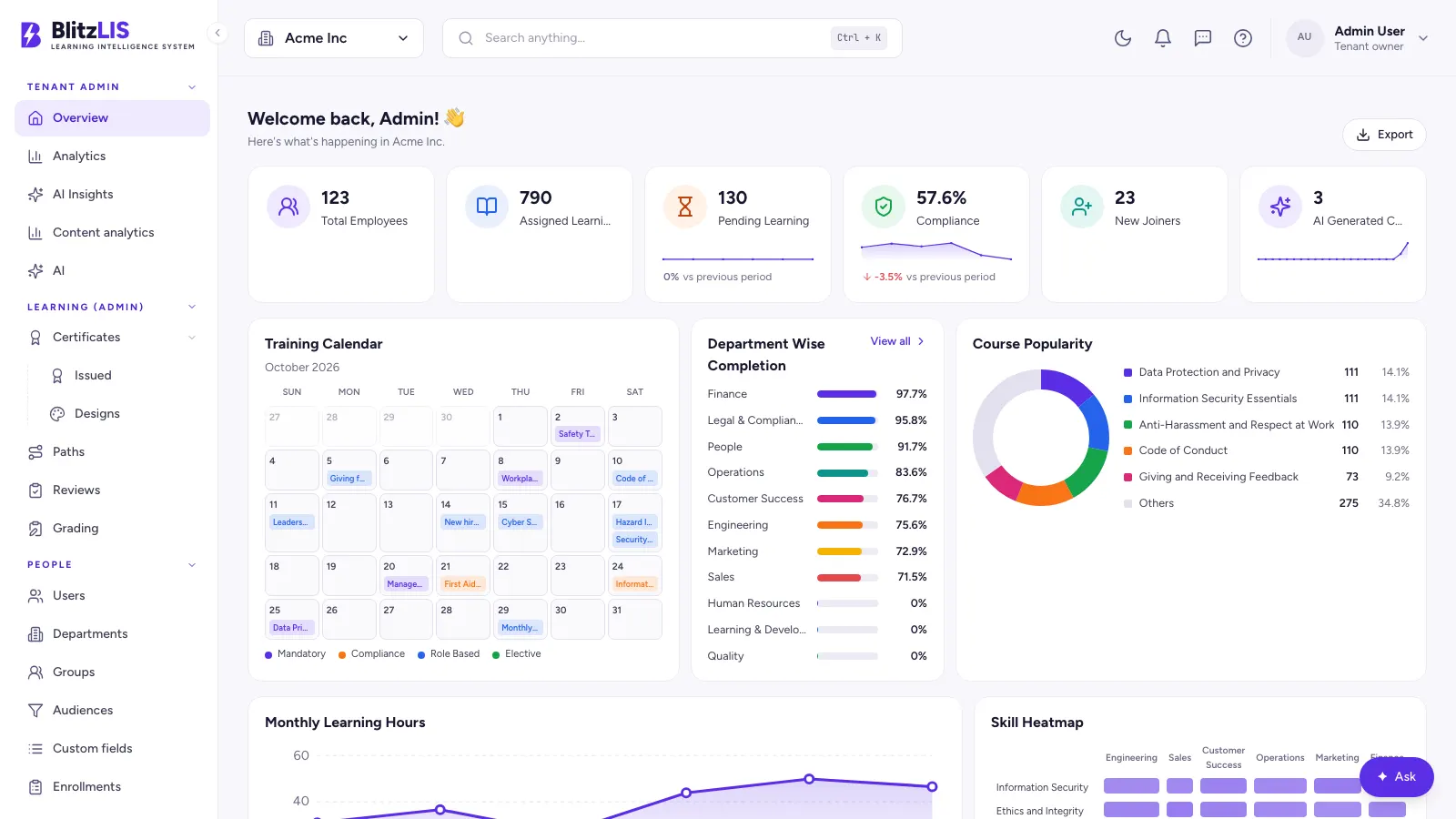 BlitzLIS· Tenant admin · Acme Inc
A whole learning company, in one system
BlitzLIS (Learning Intelligence System) is a fully branded, multi-tenant learning management system for companies that train employees, run compliance programmes or educate their customers. Each company gets its own workspace on shared infrastructure: its own subdomain, logo, colours, sign-in screen, email identity and certificates. Its learners never see another company, and never see Blitz.
Inside one workspace, six kinds of people work side by side. Learners take courses, sit quizzes and earn certificates. Authors build courses, by hand in a block editor or from a brief and their own documents with AI. Reviewers approve or send back every change before it goes live. Managers assign training and watch their team progress. Admins run users, groups, branding, compliance and reports. Above them all, the platform operator runs every tenant, plan and feature flag.
Altacee designed and built the platform end to end: the FastAPI backend and its asynchronous workers, the PostgreSQL schema with row-level security on every tenant table, search across keywords and meaning, the AI authoring pipeline, the Next.js web app for every role, and the deployment it runs on.
It brings together what usually takes a stack of separate tools (an authoring tool, an LMS, a quiz engine, a certificate generator, a forum and a reporting spreadsheet) in one product that a training company can brand, sell and run for many client companies at once.
Everything a training team needs, built in
Twelve areas, one product. Each is a working part of the platform, not a roadmap item.
Learning experience
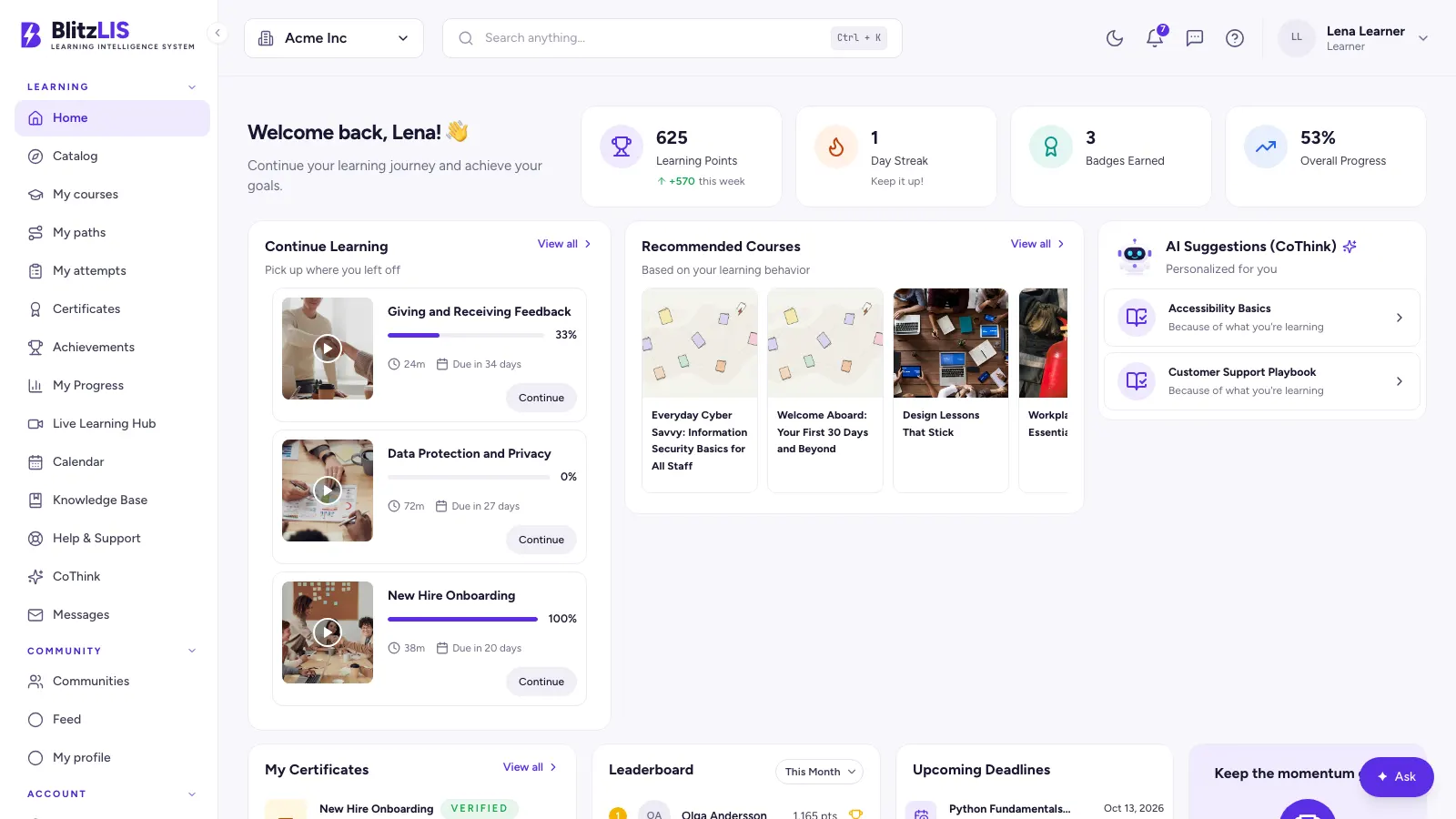
- ·A home dashboard with courses to continue, deadlines, streaks and recommendations
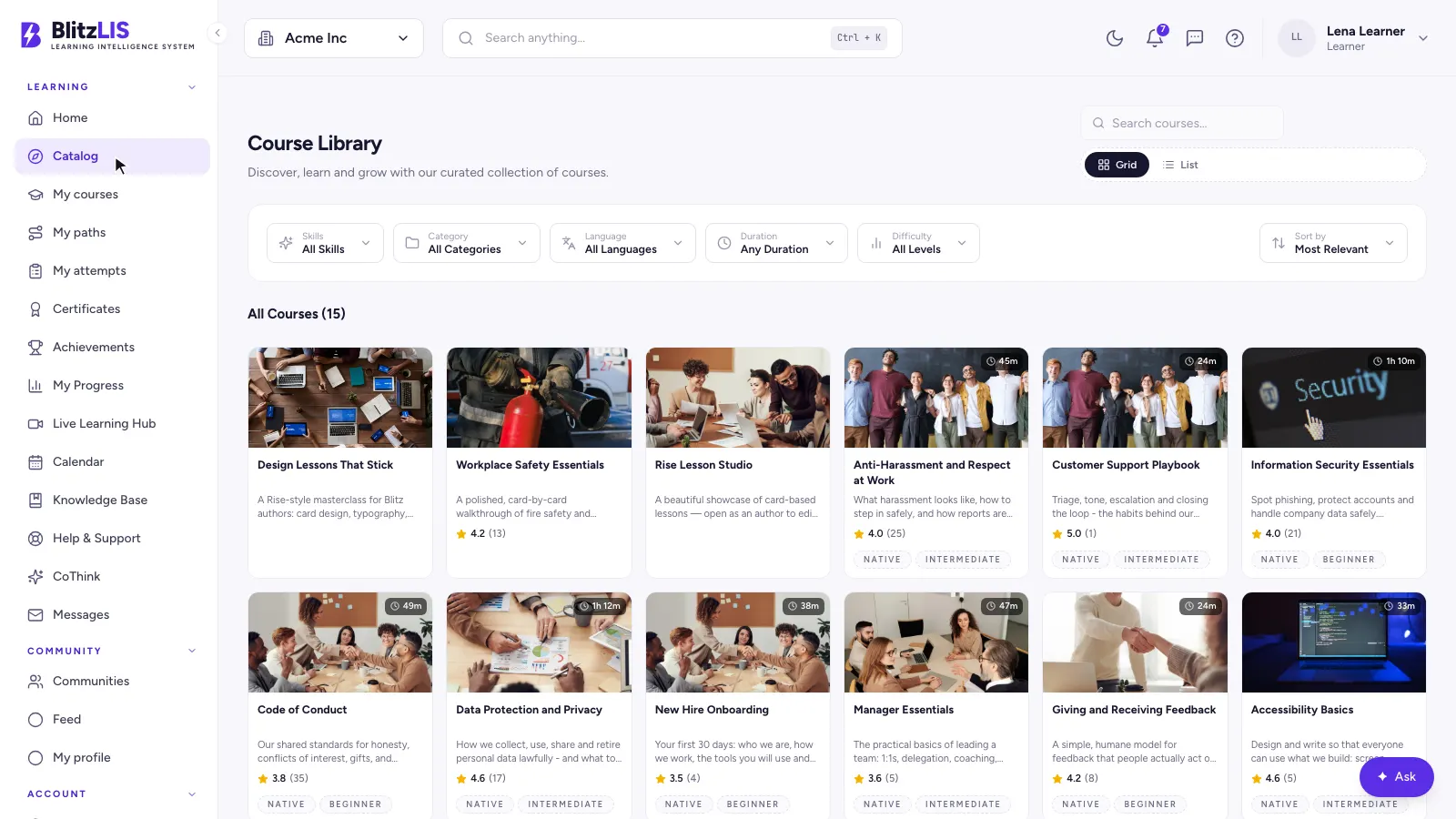
- ·A course library with search and filters by skill, category, language, duration and level
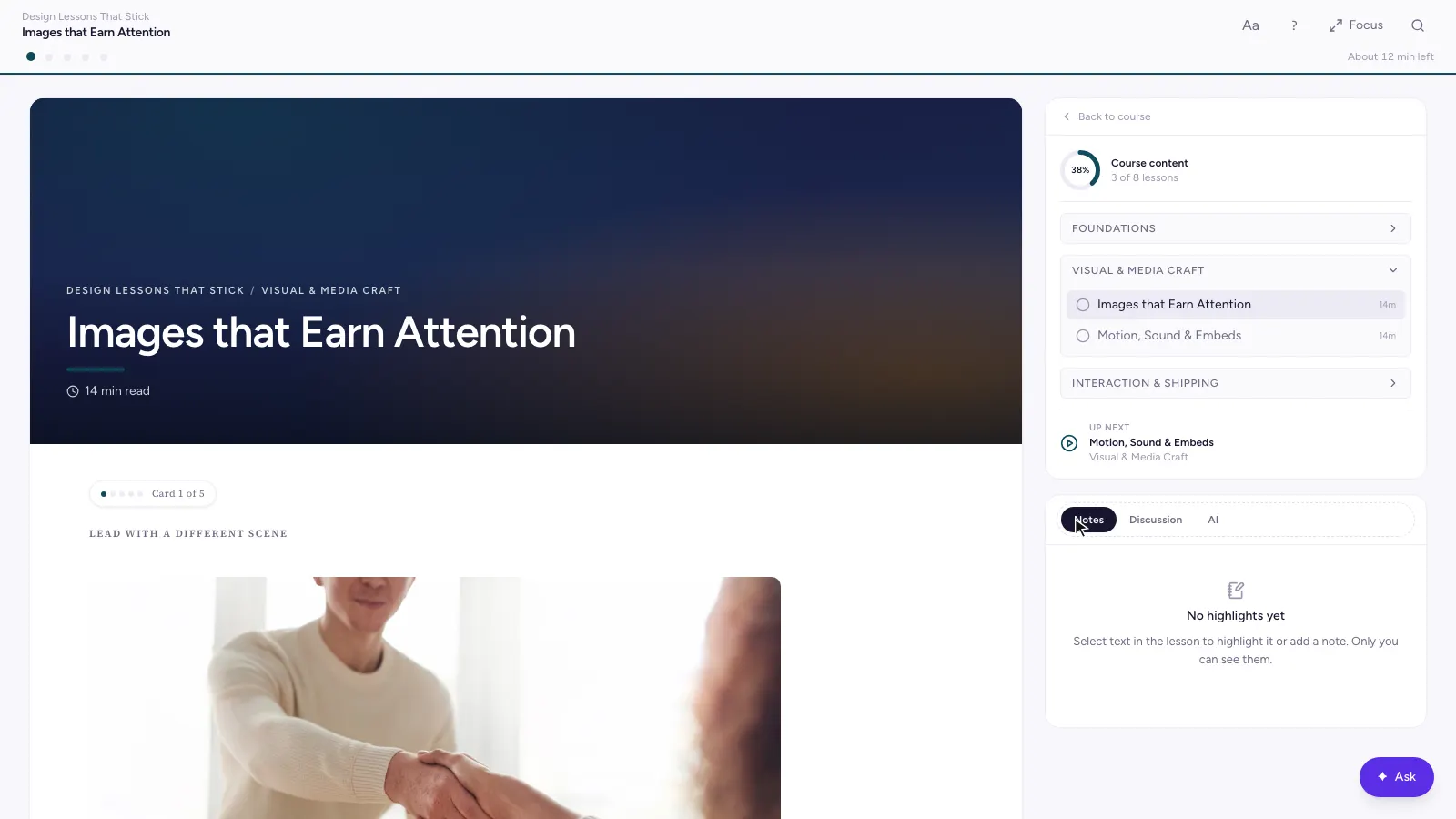
- ·A lesson player with a chaptered outline, progress, and resume where you left off
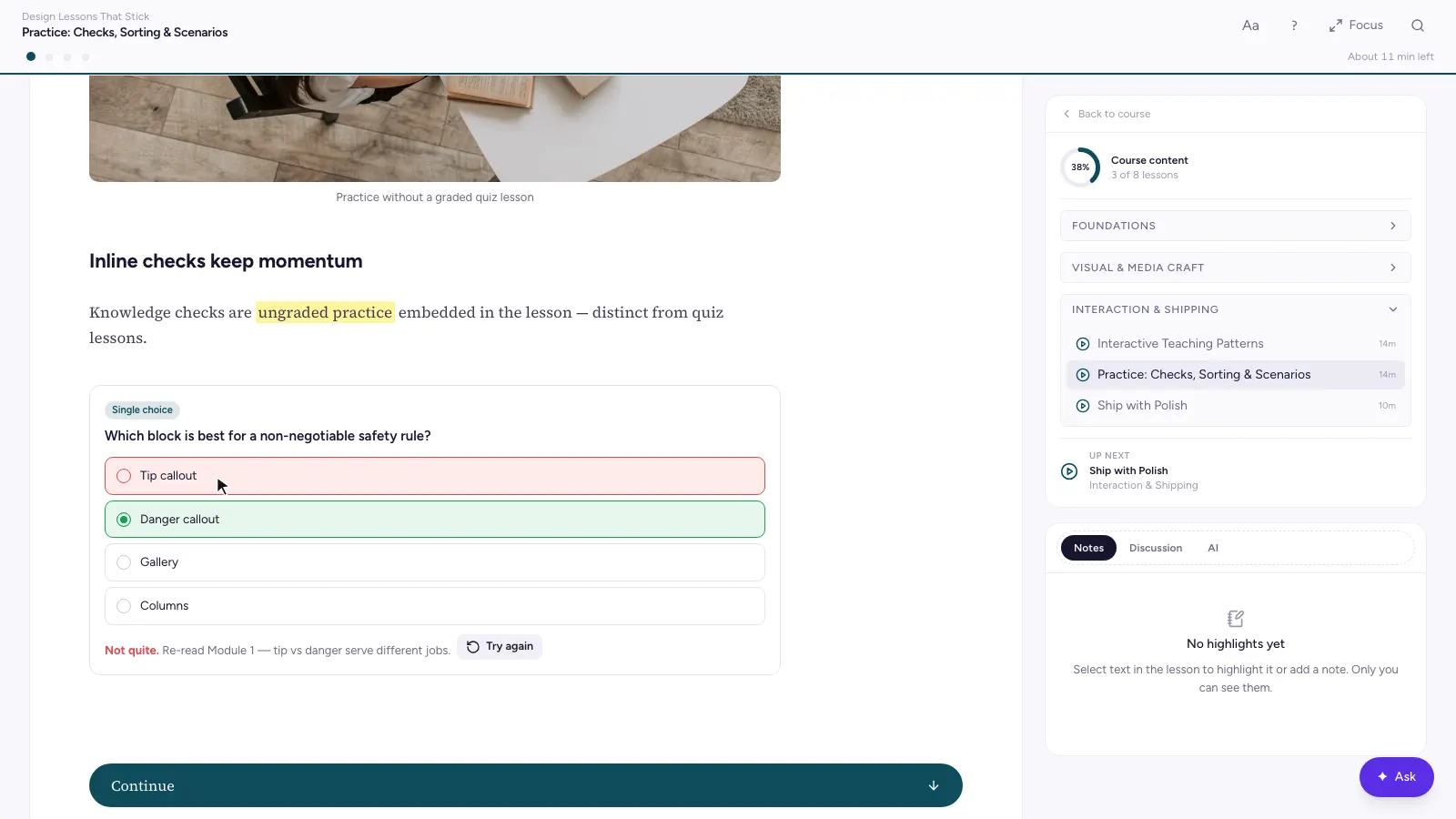
- ·Interactive blocks: knowledge checks, sorting, scenarios, flashcards, tabs and timelines
- ·Highlights and private notes on any passage, reading settings and a focus mode
- ·An end-of-lesson recap, and Ask AI inside the lesson
Authoring studio
- ·A content studio with every draft, course and version in one place
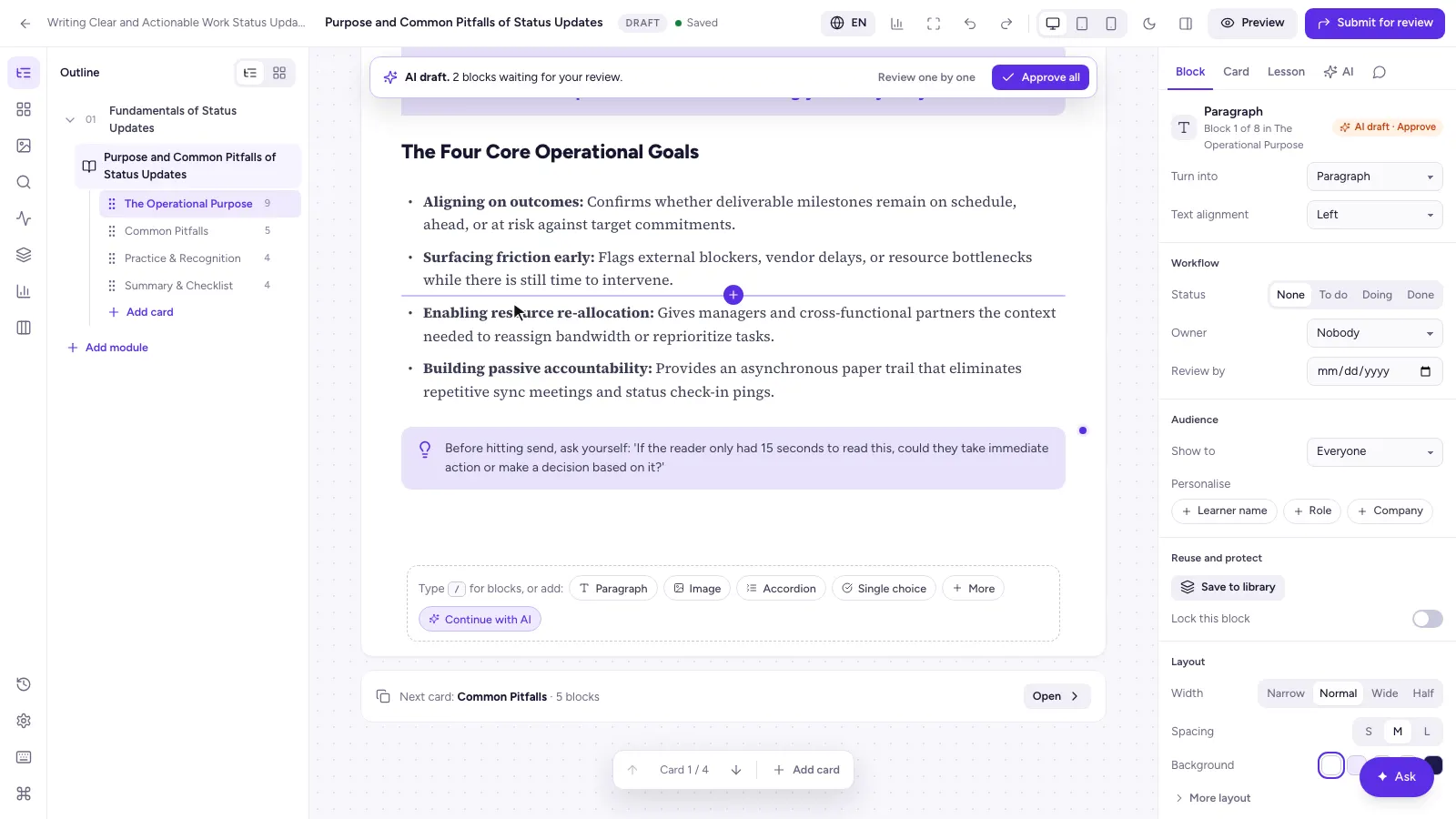
- ·A block-based lesson editor with about 35 blocks and an inspector
- ·Versioned drafts with comments, history, compare and restore
- ·Learner preview at phone, tablet and desktop sizes, with a share link
- ·Catalog details, themes and taxonomy: categories, colour-coded tags and skills
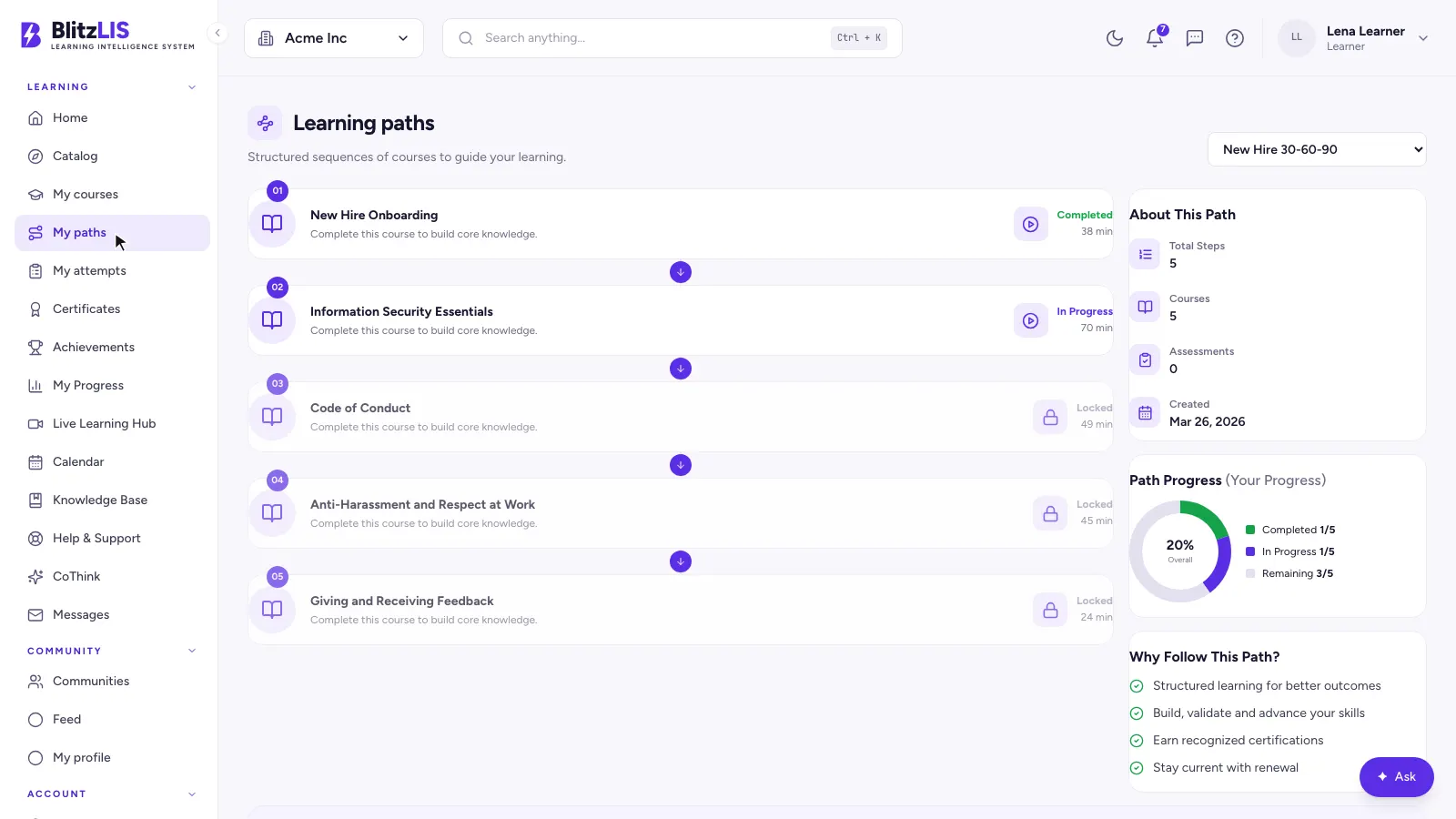
- ·Reusable blocks and learning paths that sequence courses into a curriculum
AI authoring
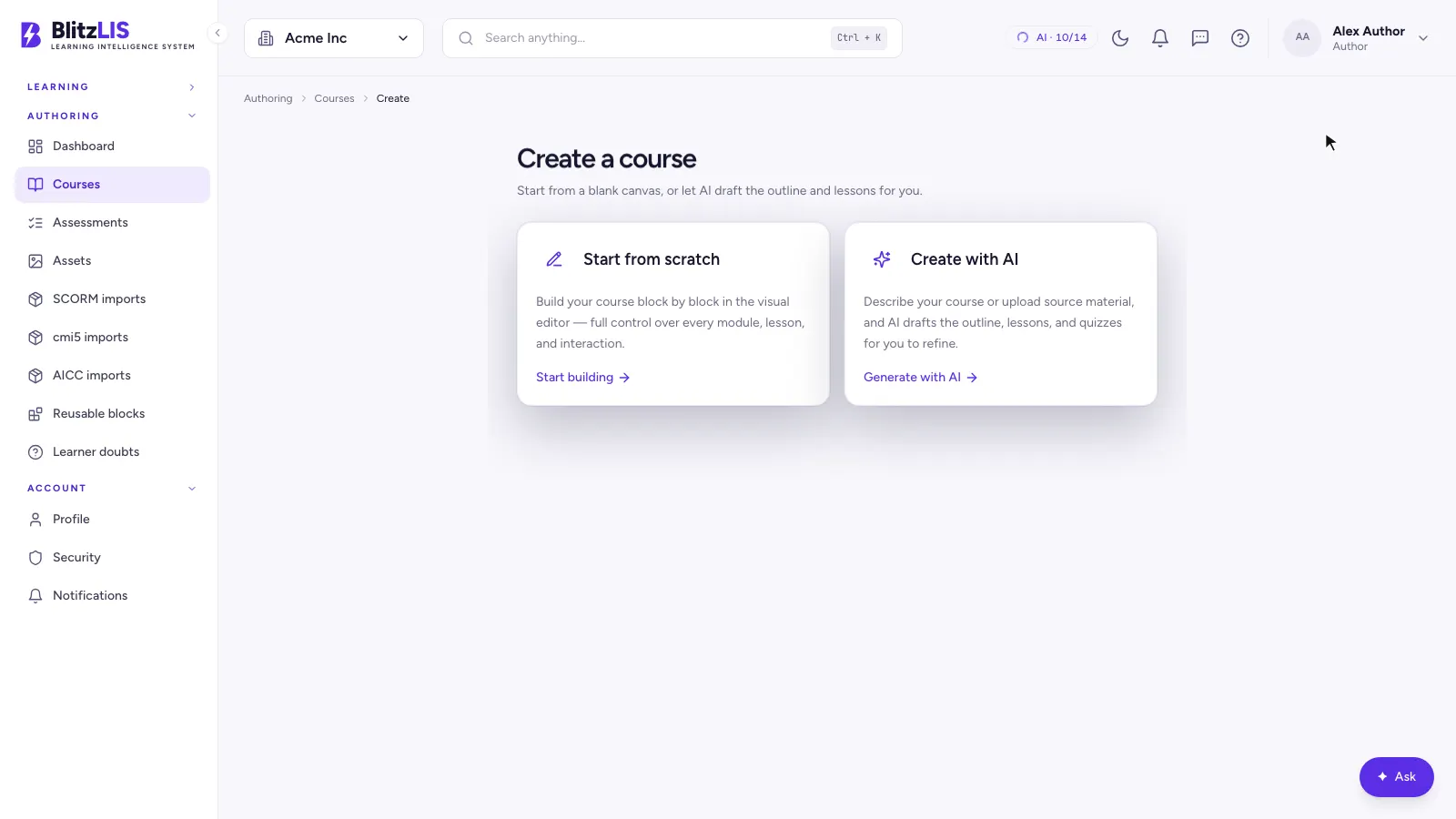
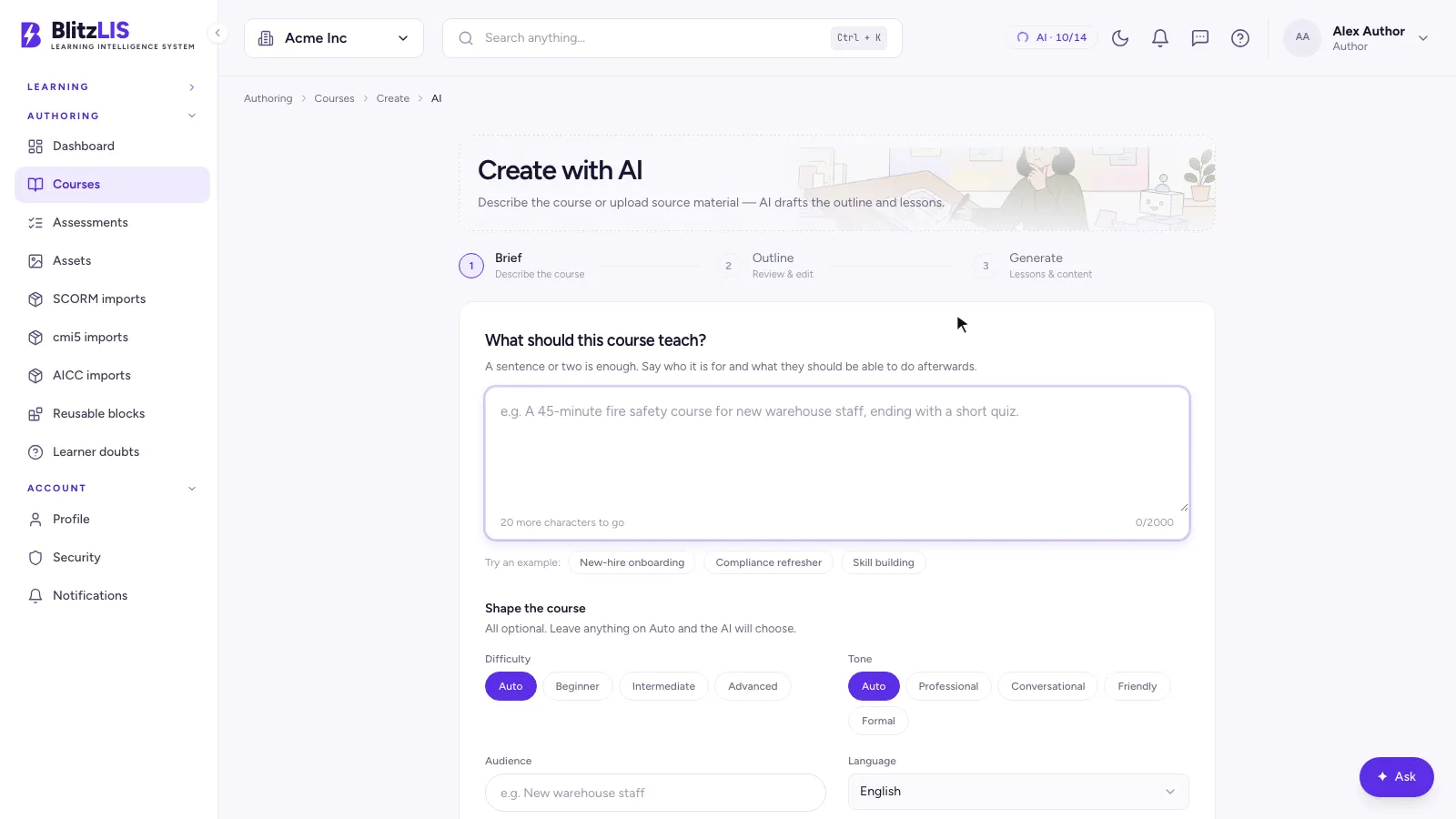
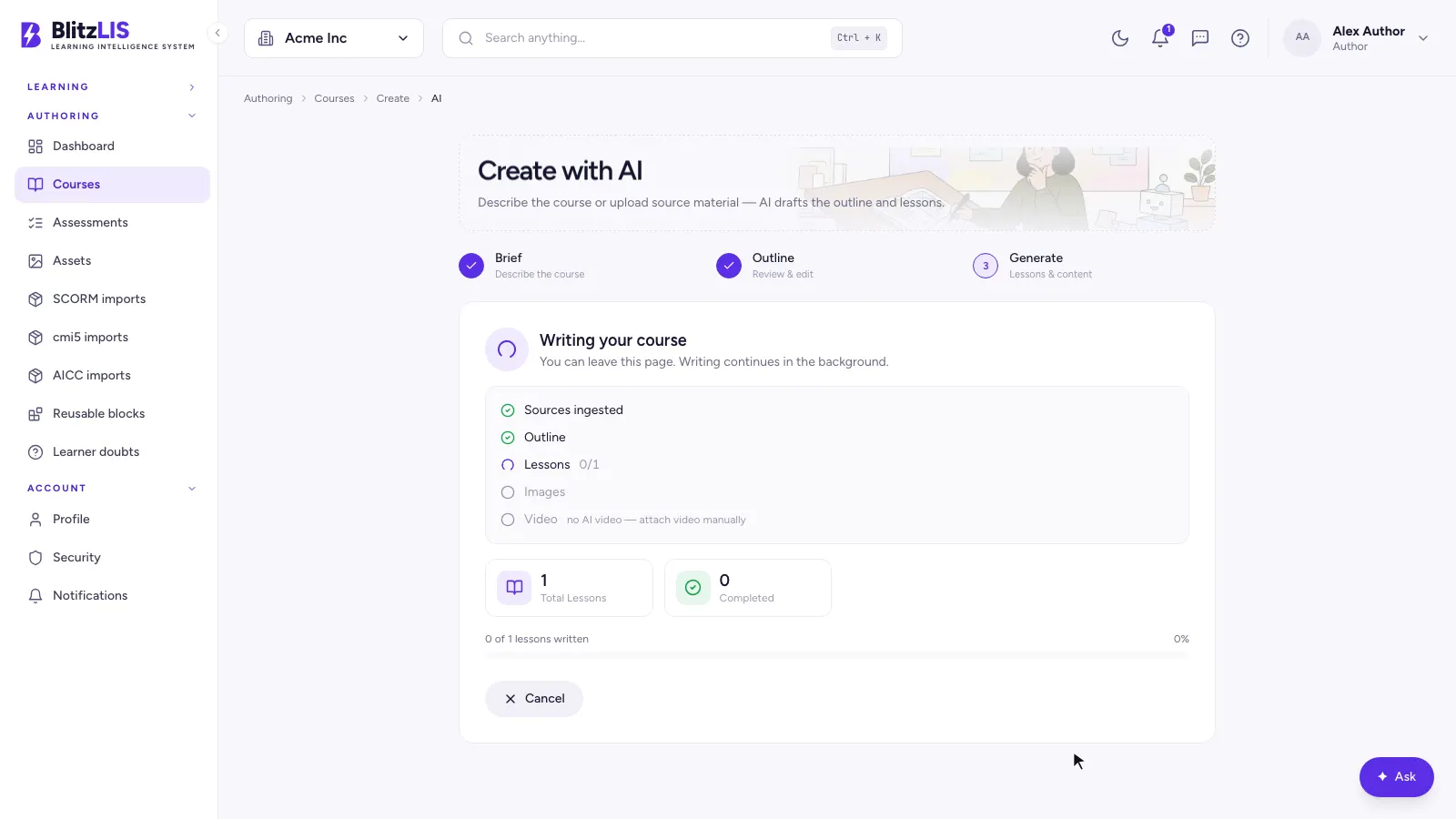
- ·A course generator: write a brief, shape the course, get an outline, then full lessons
- ·Grounding in your own material: upload documents and the course is written from them
- ·Ask AI in the editor to rewrite, shorten, translate or turn text into visual blocks
- ·An AI question generator for question banks
- ·Signals: quality checks on each lesson, with proposed fixes
- ·Every AI change lands as a draft a human approves; nothing publishes itself
Assessments
- ·9 question types: multiple choice, true or false, short and long text, numeric, ordering, matching, fill-in-the-blank and image hotspot
- ·Question banks shared across quizzes
- ·Quiz rules: pass mark, attempts, time limit and per-learner exceptions
- ·A quiz runner with results and full attempt history
Review and publishing
- ·A status workflow: draft, in review, approved, published, or sent back
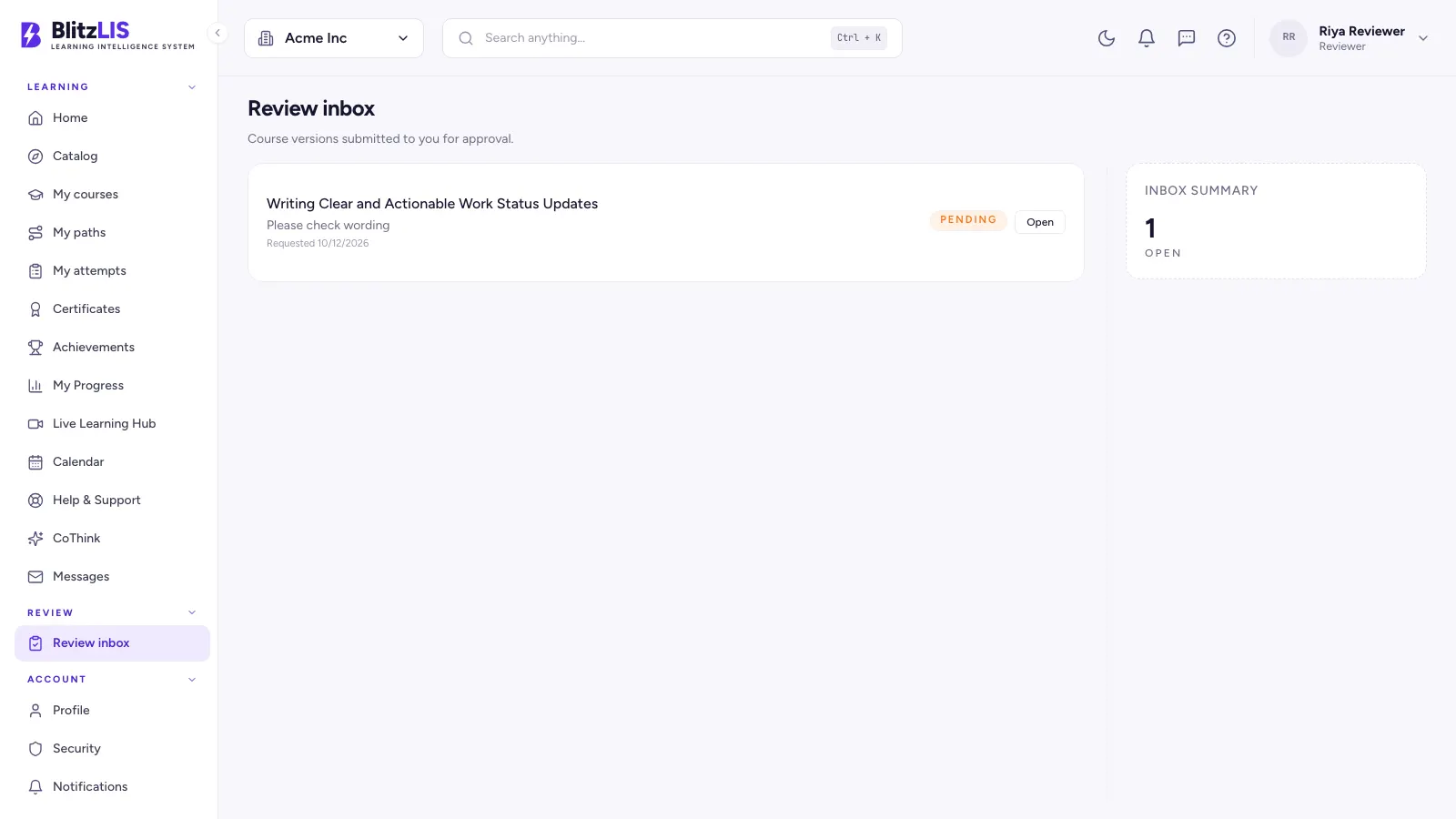
- ·A reviewer inbox with every pending task
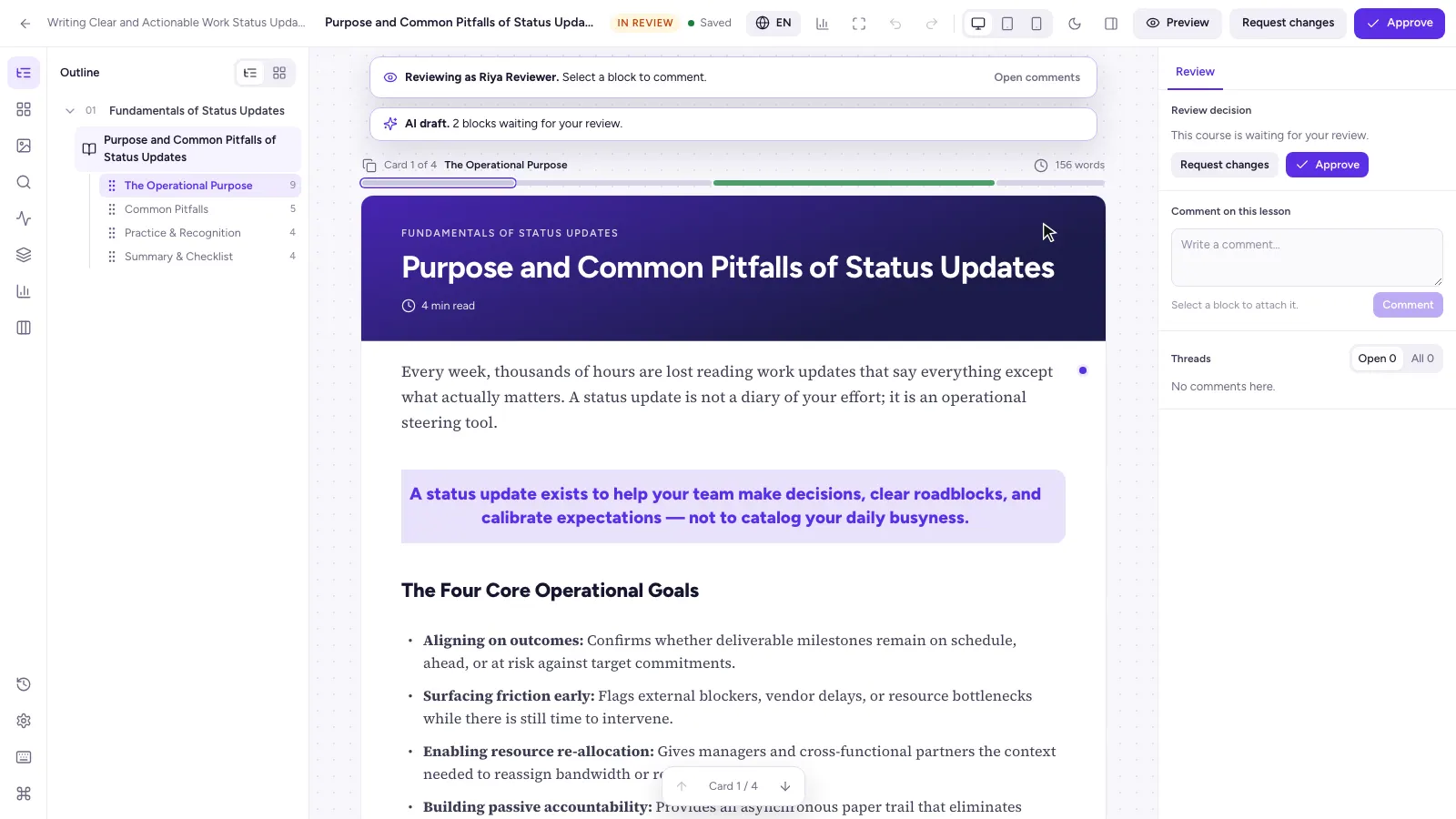
- ·Review mode: comment on a block, suggest an edit, approve or reject
- ·A publish checklist before anything reaches learners
Certificates
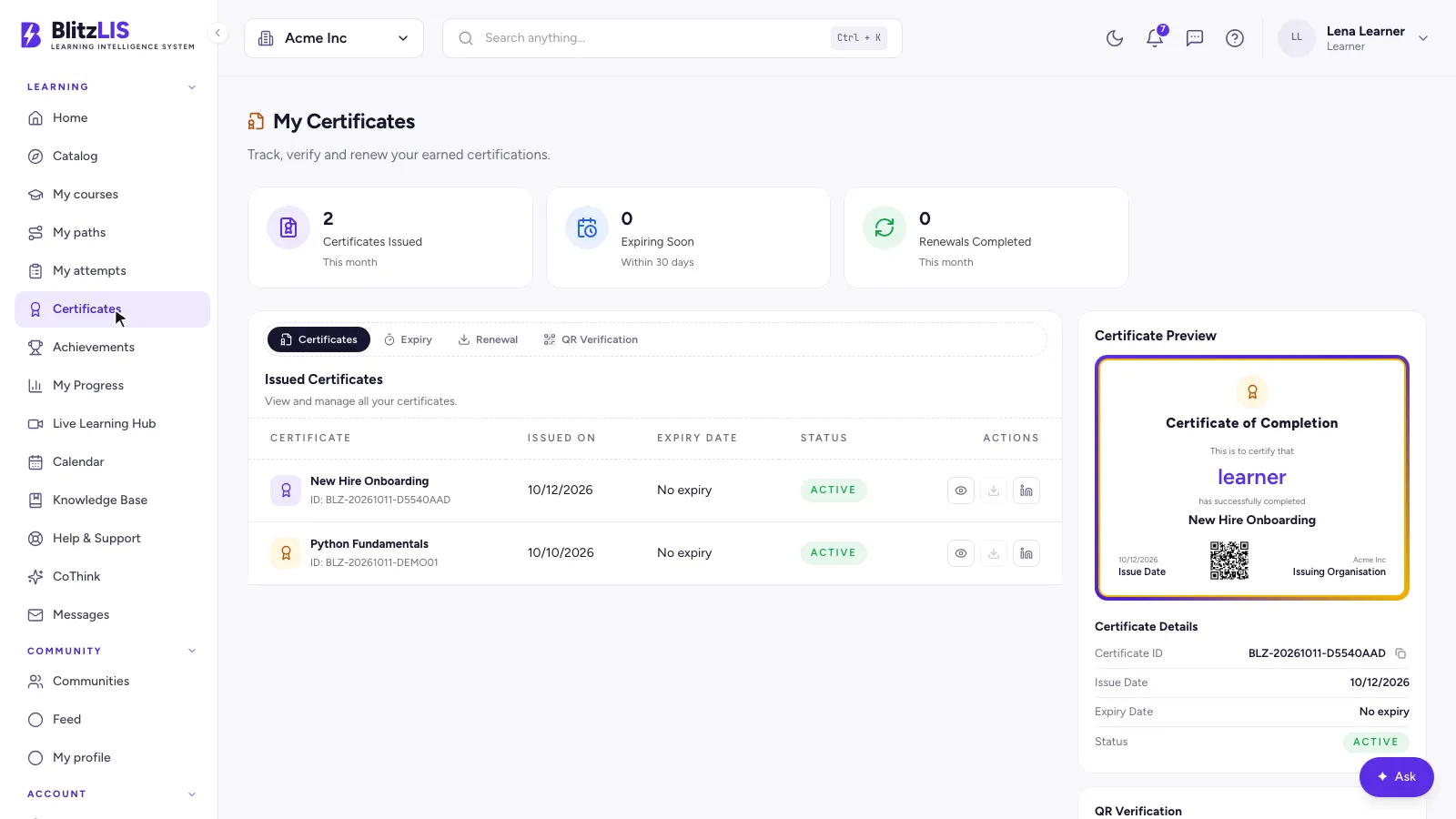
- ·Issued automatically when a course is completed
- ·A certificate designer per tenant, with its own branding
- ·QR codes, PDF download and sharing
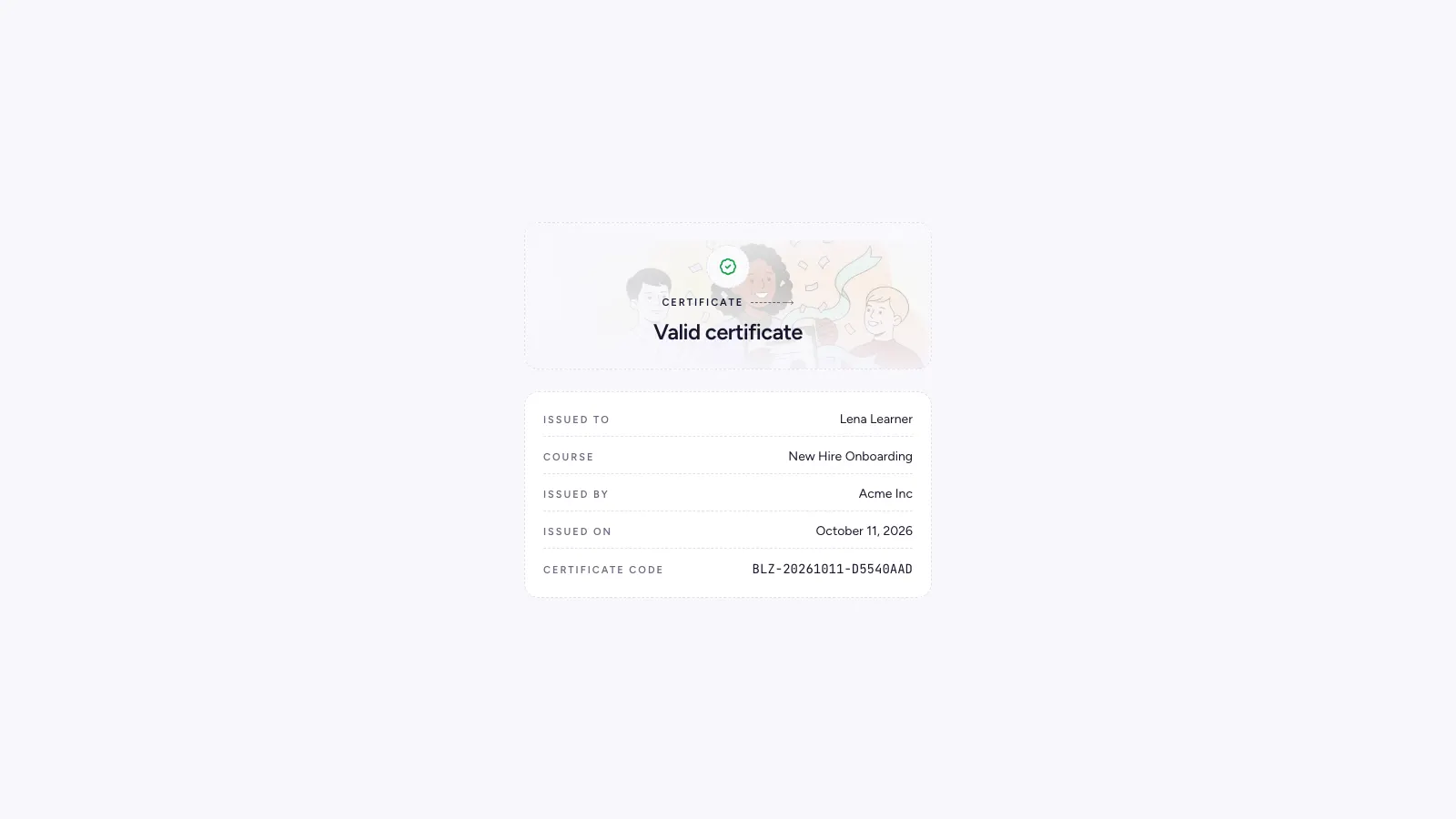
- ·A public page where anyone can check a certificate number is genuine
Community
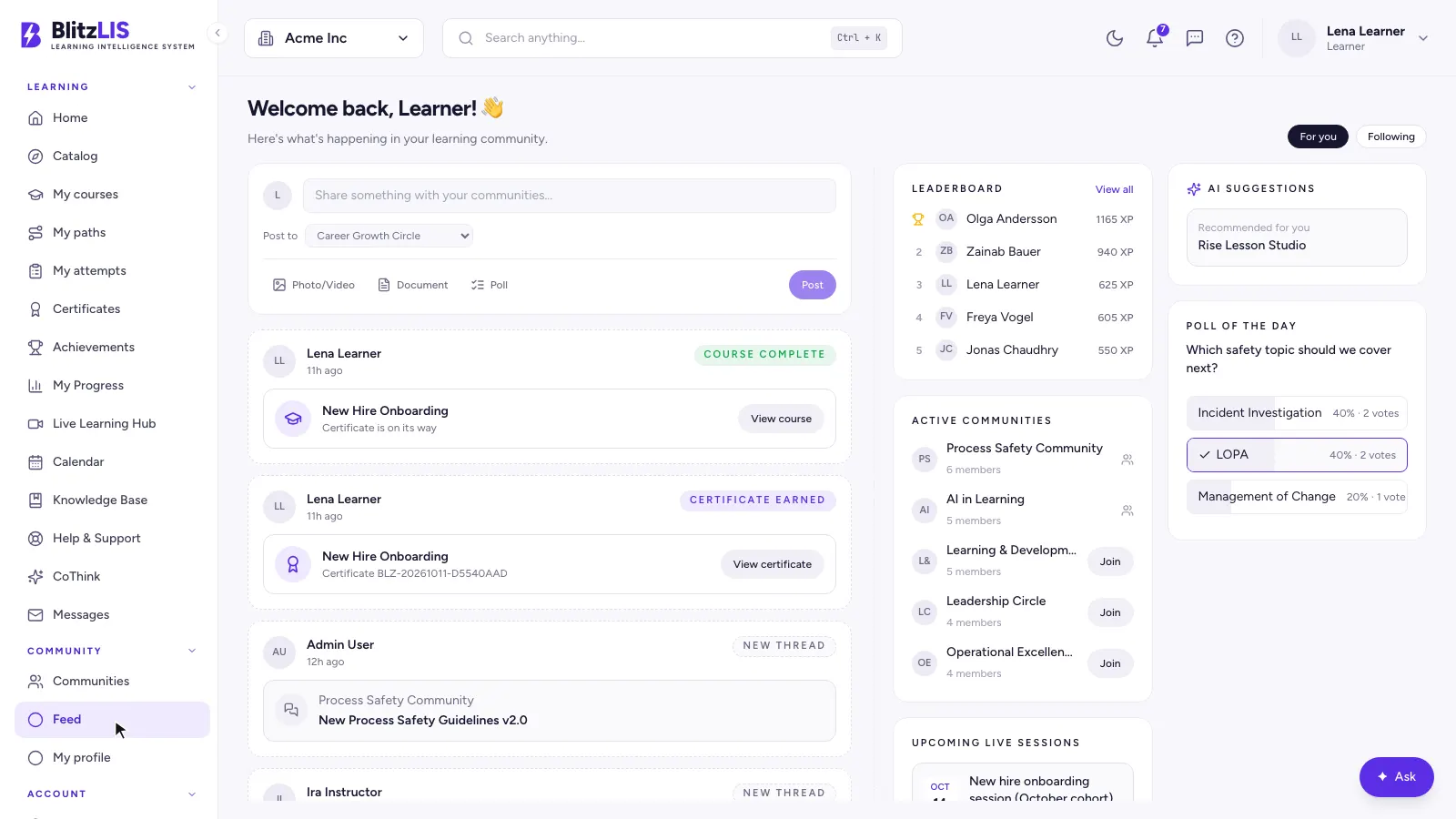
- ·A feed with posts, photos, videos, documents and polls
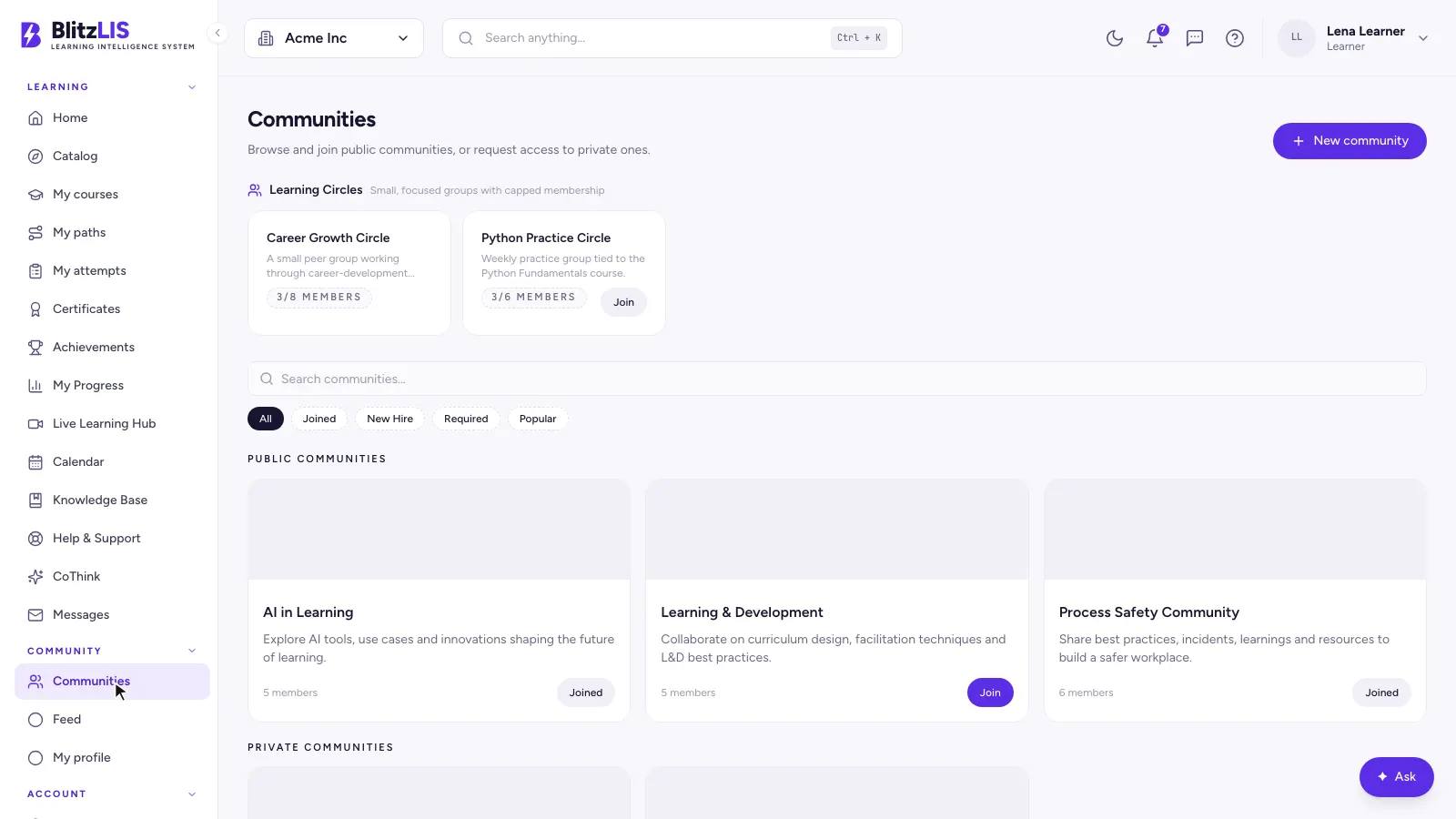
- ·Communities and capped learning circles, public or private
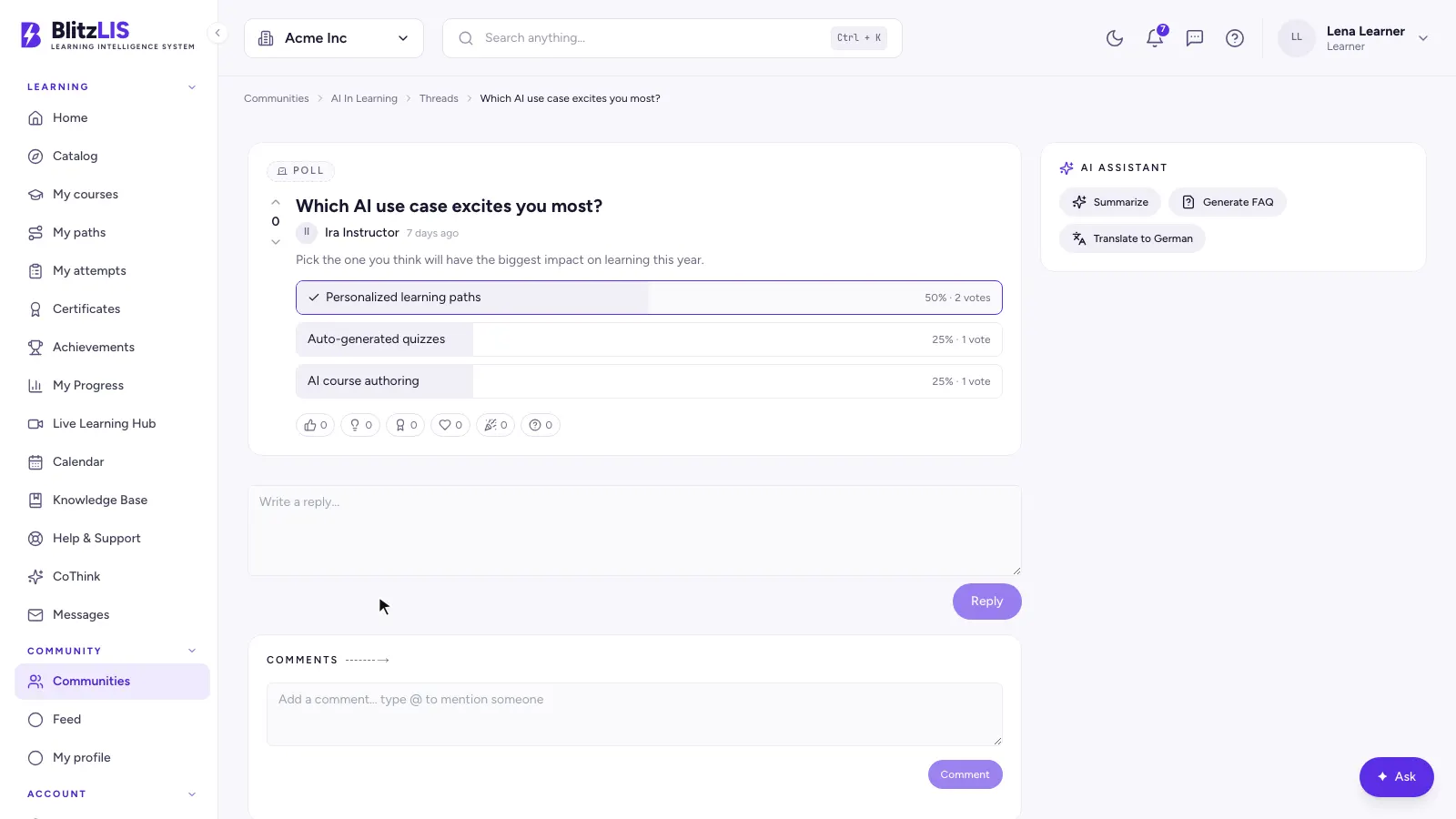
- ·Threads with reactions, mentions and a marked best answer
- ·An AI card on each thread: summarise, draft an FAQ, translate
- ·Profiles with verified skills and earned certificates
Managers
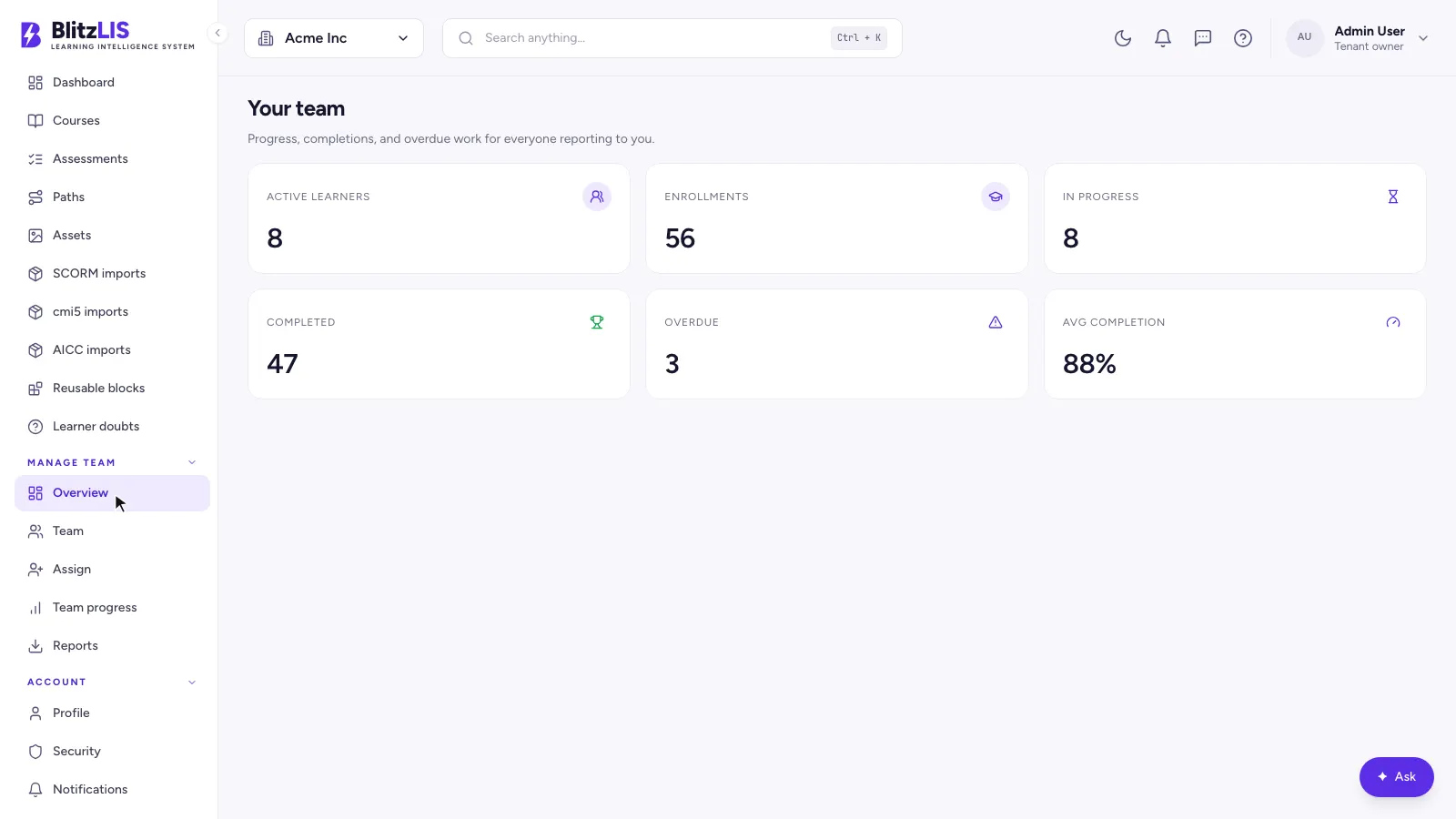
- ·A team overview: active learners, enrolments, in progress, overdue
- ·Assign a course or a path to a team or a single person
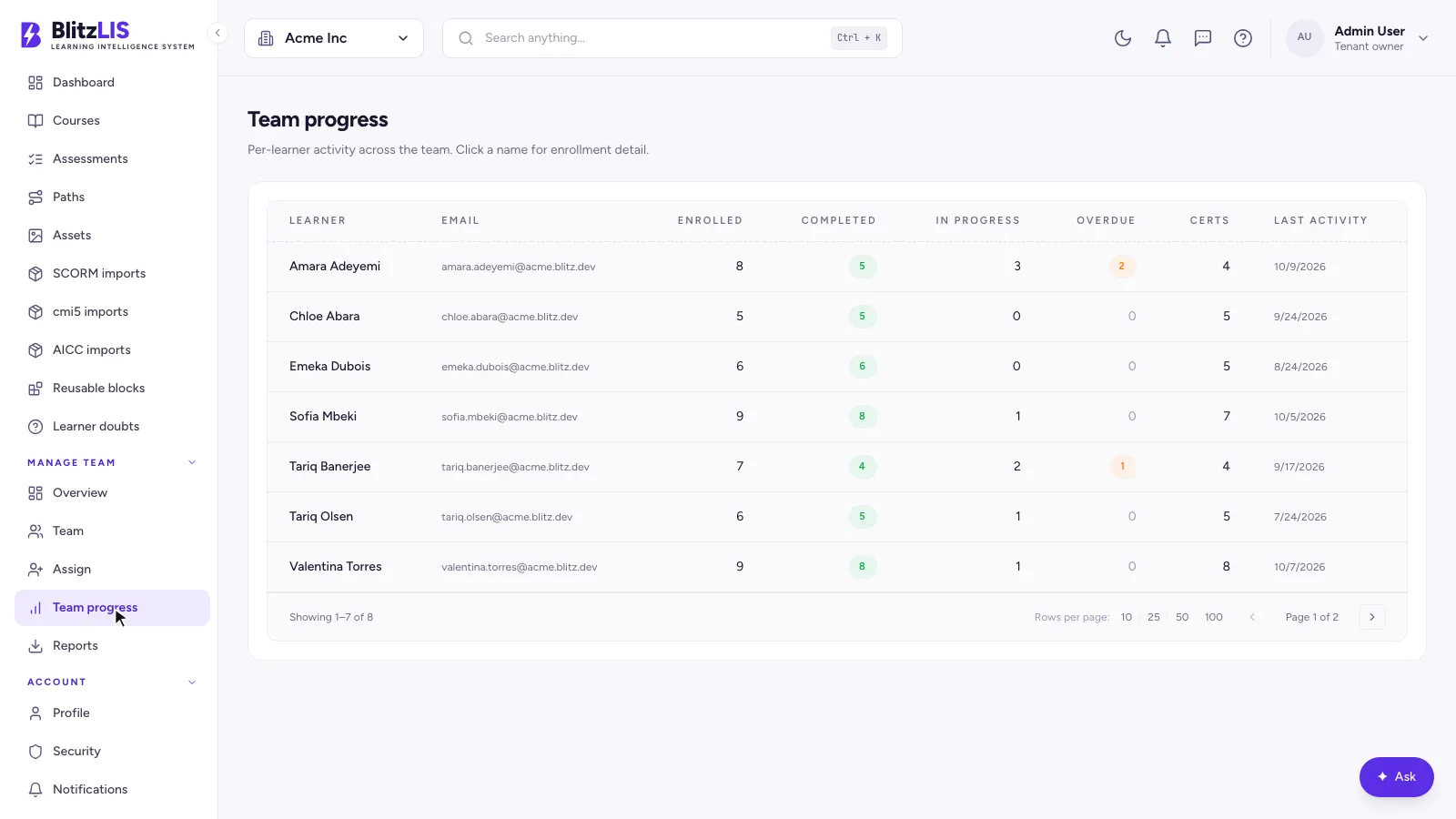
- ·Team progress with CSV and XLSX export
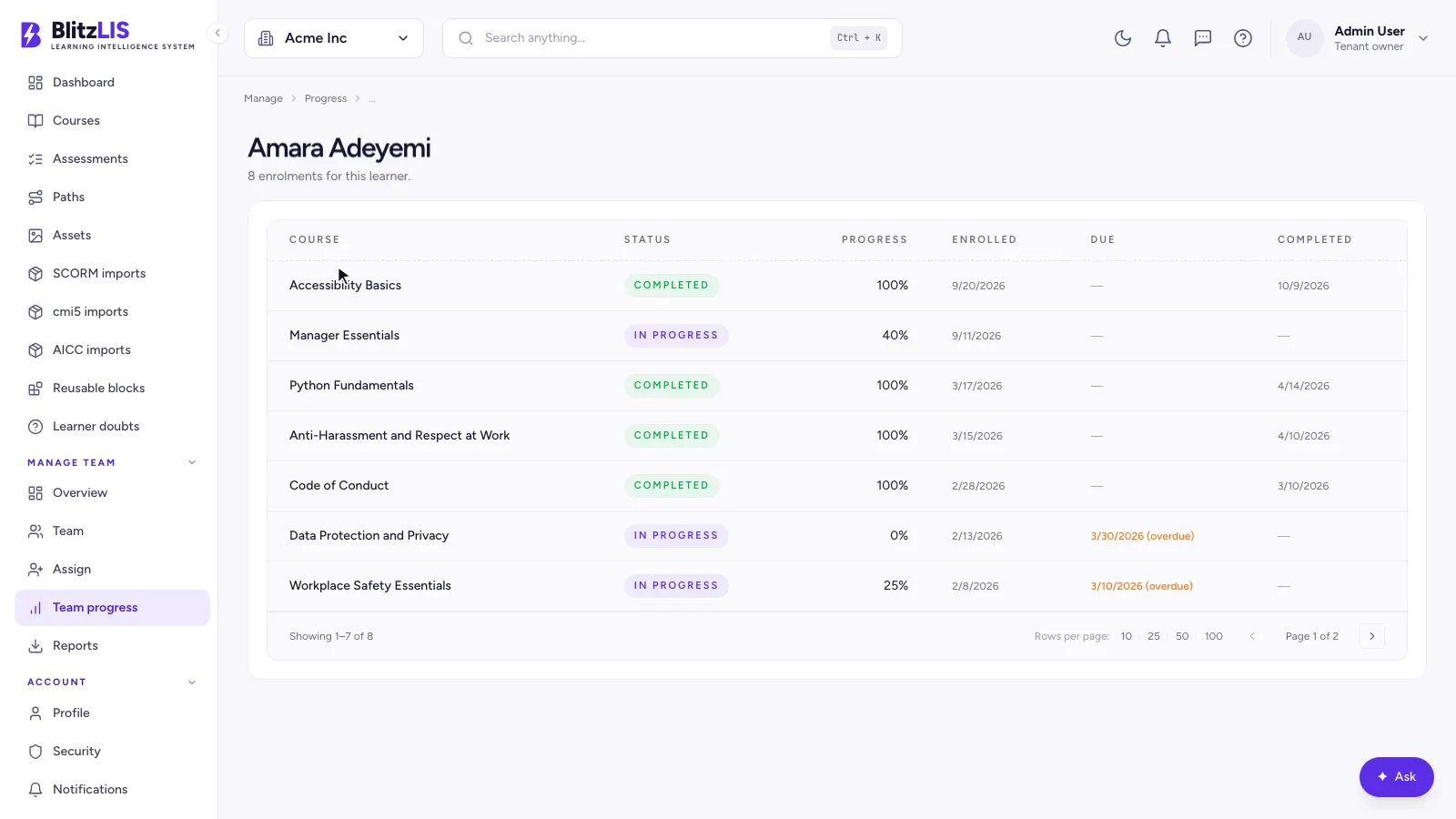
- ·One learner's full progress, course by course
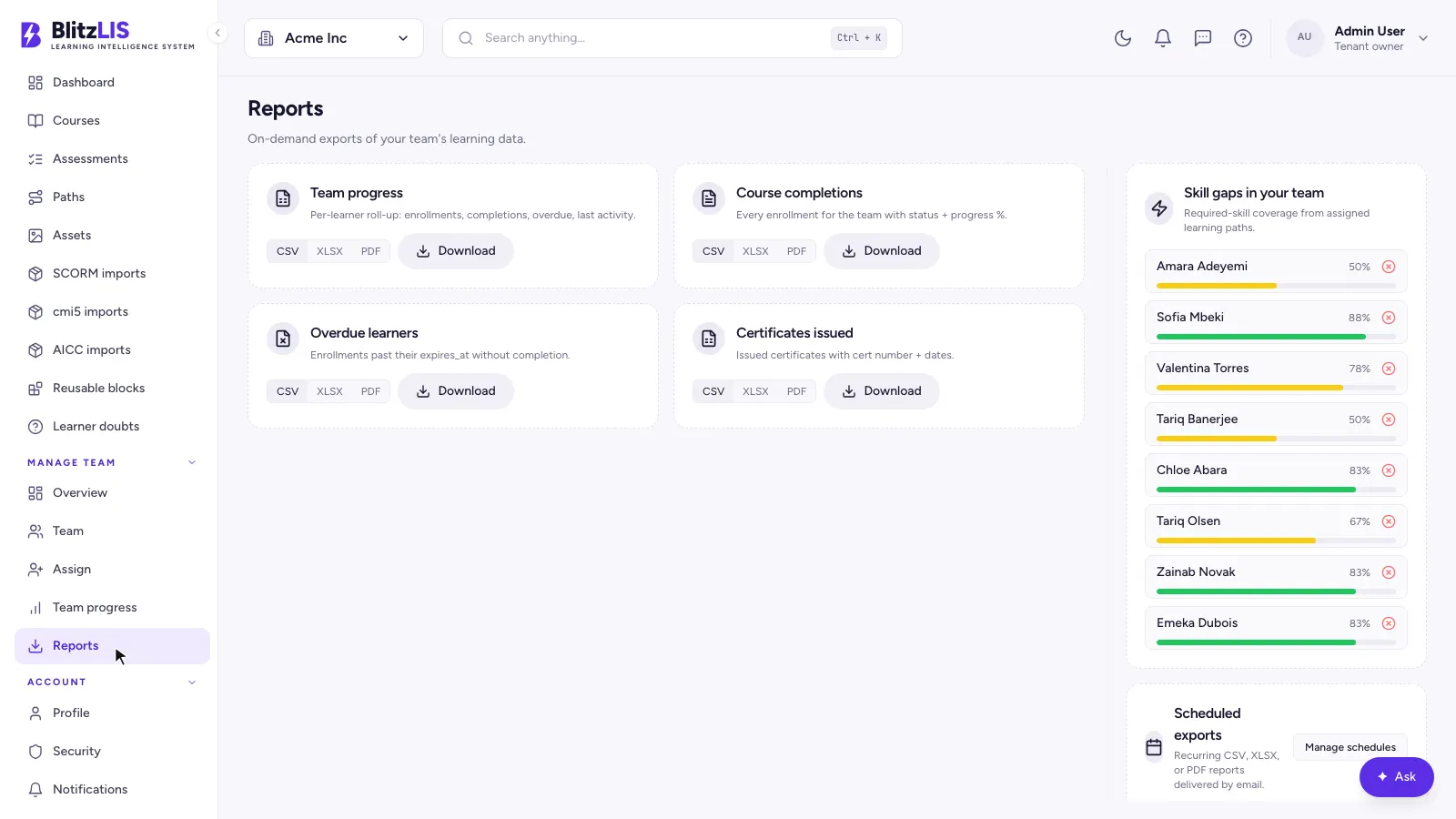
- ·Reports and skill-gap coverage, with scheduled report emails
Administration
- ·An overview of employees, assigned learning, compliance and new joiners
- ·Users, departments, groups, audiences, custom fields and enrolments
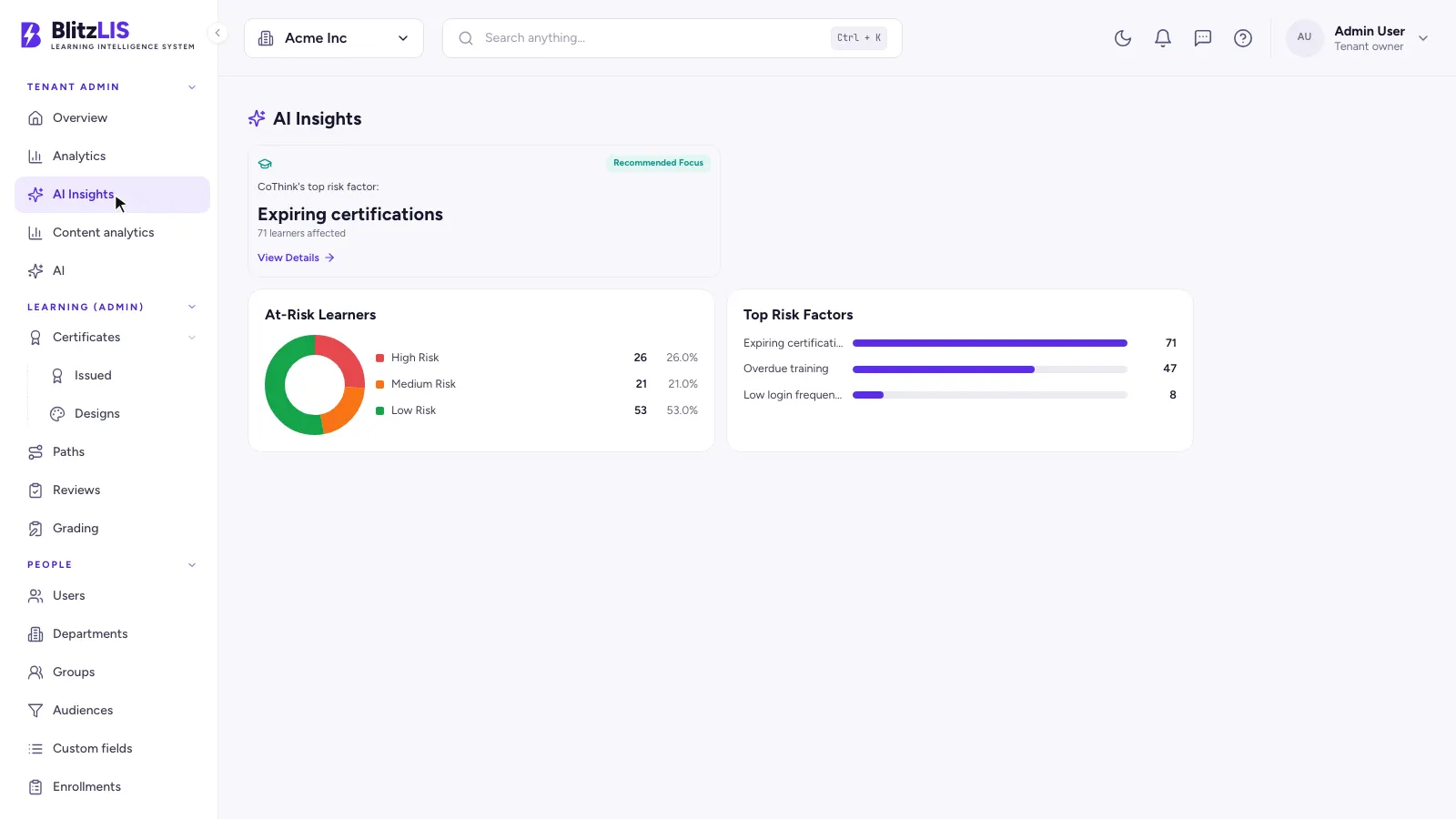
- ·AI insights that flag learners at risk and why
- ·Compliance, a competency matrix and skill intelligence
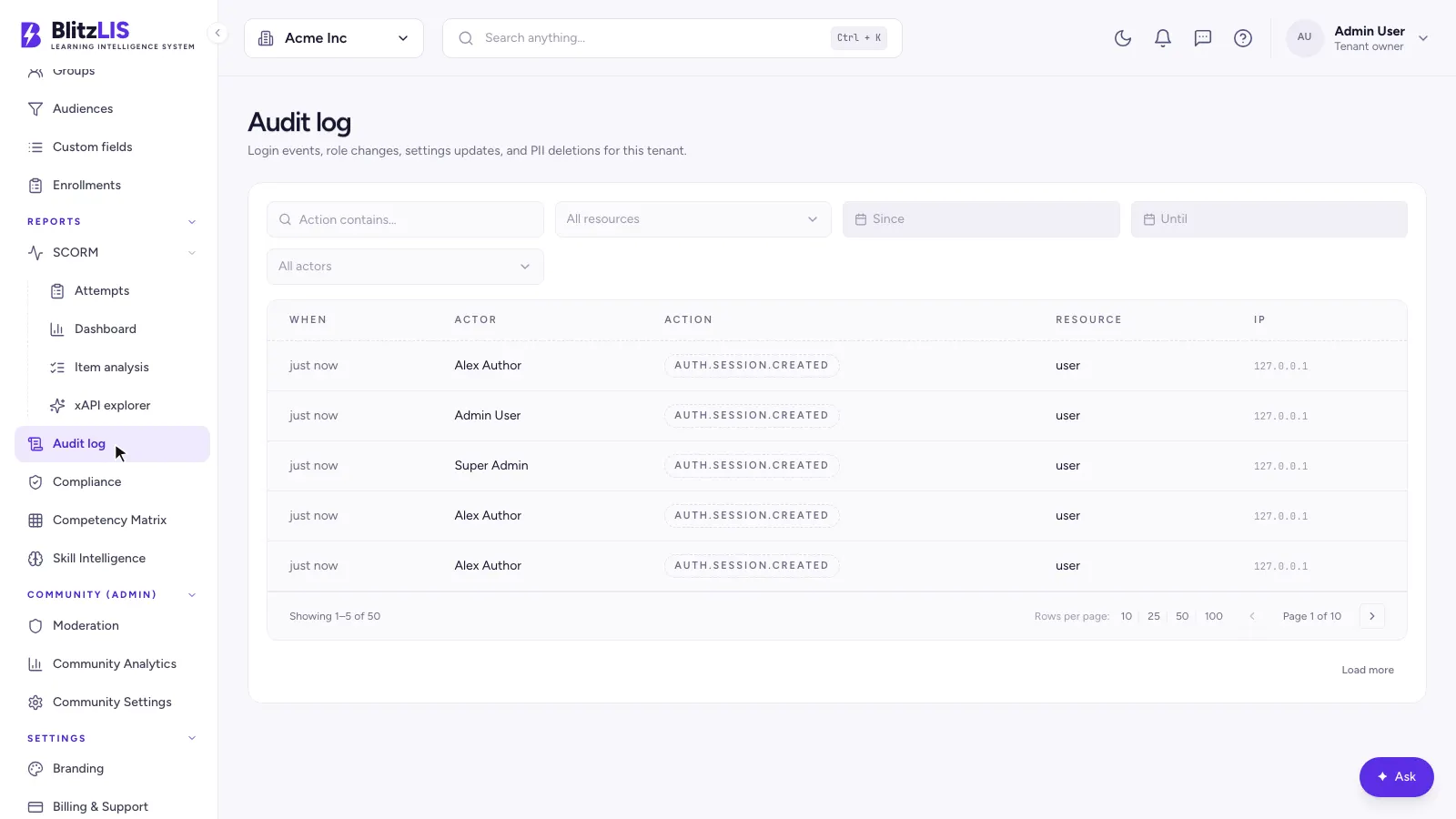
- ·An audit log of every sign-in, role change and setting
- ·Directory sync (SCIM), API keys, webhooks, reminders and Power BI
White label
- ·Each tenant on its own subdomain or custom domain
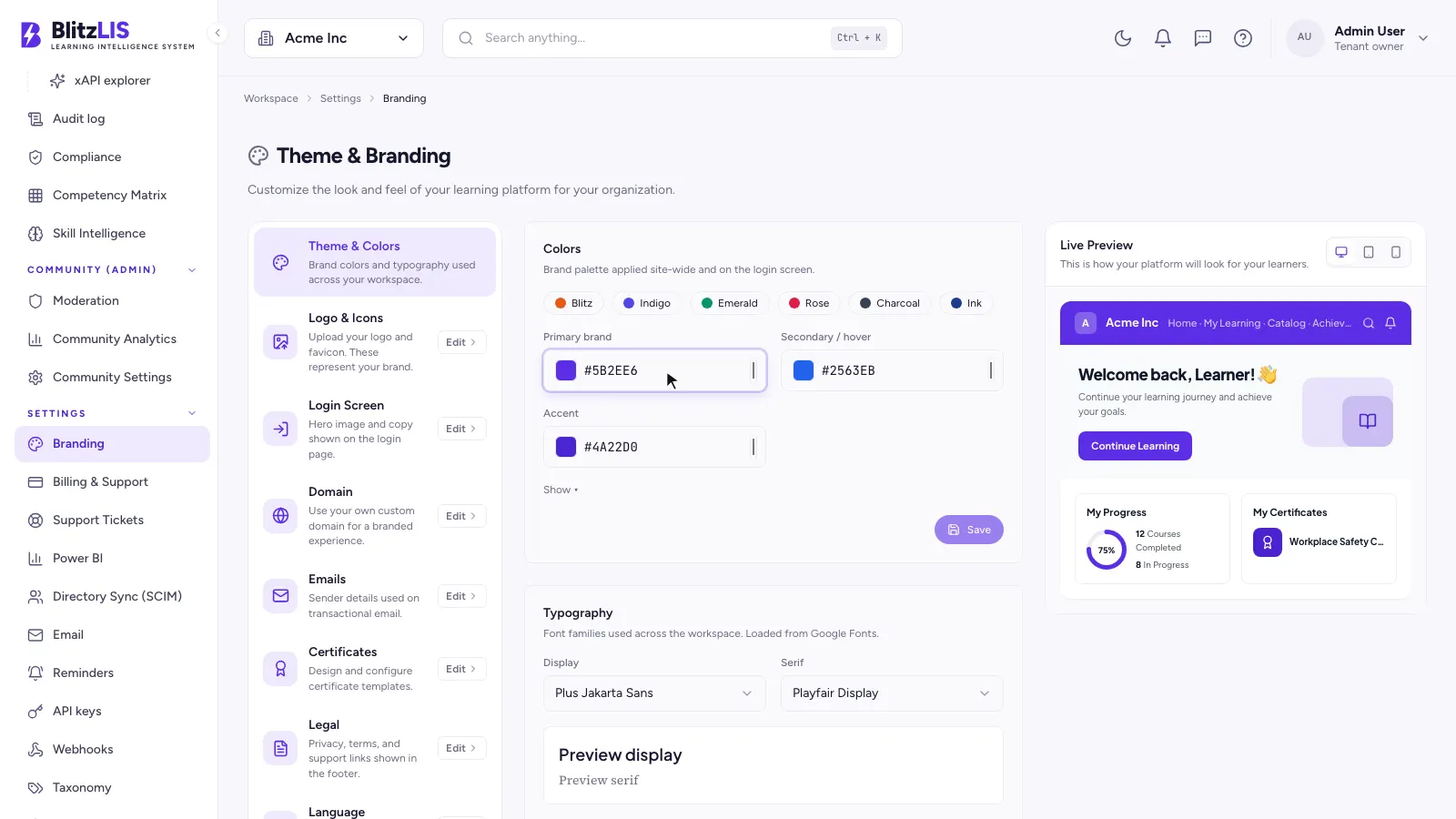
- ·Its own logo, colours, typography and sign-in screen
- ·Its own sender identity and SMTP server for every email
- ·Its own certificate design and legal footer
Standards and content
- ·SCORM 1.2 and 2004 import and export
- ·cmi5 and AICC import, with an xAPI explorer
- ·Video lessons with chapters, captions and a synced transcript
- ·Course translations, by AI or a human round trip
Platform operations
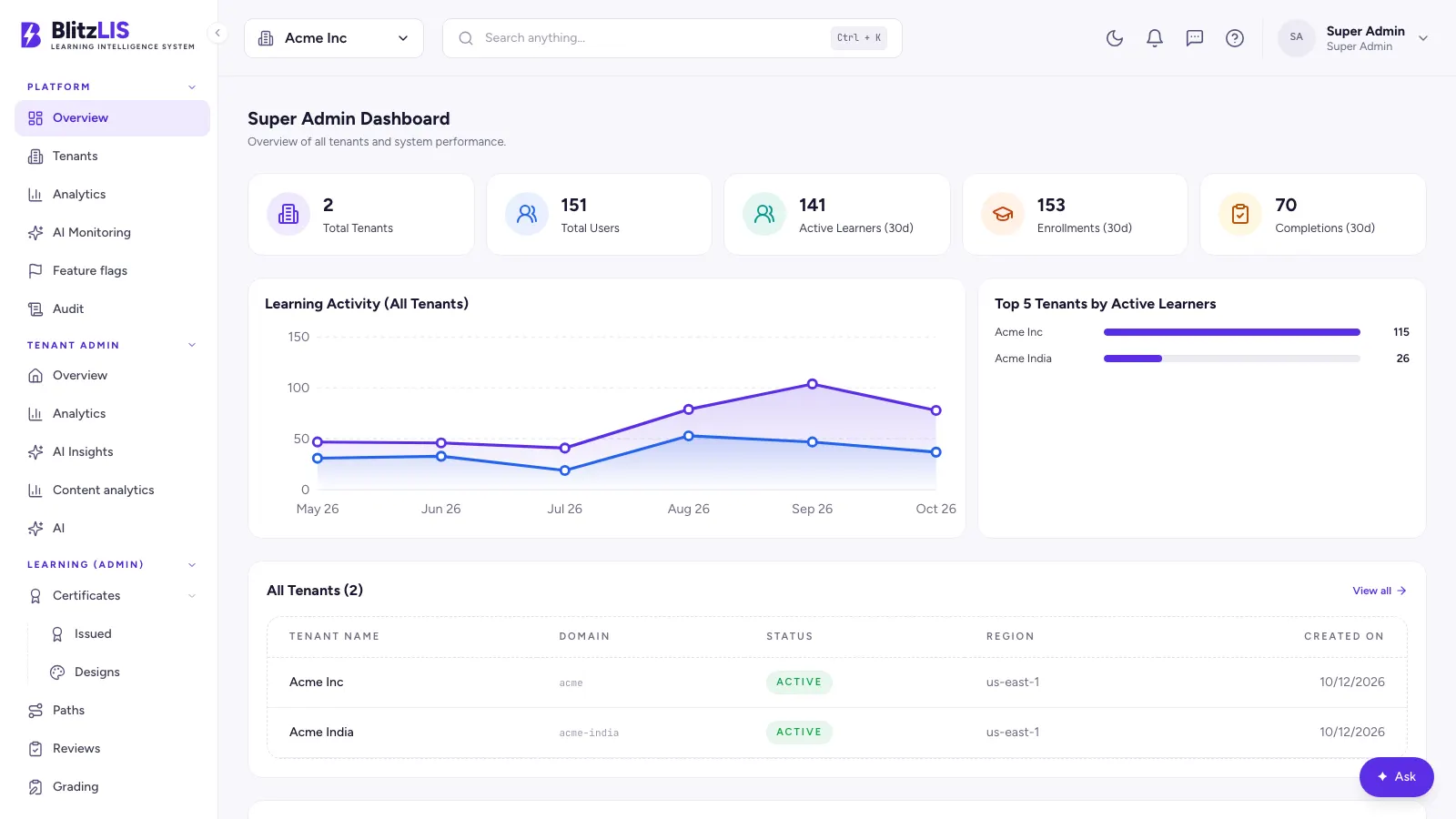
- ·A super-admin dashboard across every tenant
- ·Tenants by domain, region and status
- ·AI usage monitoring and feature flags per tenant
- ·Billing plans and support tickets
One tenant cannot see another, even if the API is wrong
Most multi-tenant products filter by tenant in application code, and one forgotten WHERE clause leaks a client's data to another. BlitzLIS puts the wall in the database. Every request opens a transaction that tells PostgreSQL which tenant it belongs to, and a policy on each table refuses any row from anywhere else.
- 01A request arrives on a tenant's domain and is authenticated
- 02The API sets app.tenant_id for that transaction only
- 03PostgreSQL policies filter every read and reject every foreign write
- 04Search runs inside the same wall: Meilisearch for words, pgvector for meaning
- 05Background workers ingest uploads, so material is searchable once it lands
CREATE POLICY lessons_tenant_isolation ON lessons
  USING (tenant_id = current_setting('app.tenant_id', true)::uuid)
  WITH CHECK (tenant_id = current_setting('app.tenant_id', true)::uuid);

-- per request, inside the transaction
SET LOCAL app.tenant_id = '…';// SECURITY
Enterprise sign-in and isolation, out of the box
- PostgreSQL row-level security on every tenant table
- Single sign-on with Google, Microsoft, Okta and SAML
- Two-factor sign-in with TOTP apps and WebAuthn keys
- Argon2id password hashing
- 15-minute access tokens
- An immutable audit log
- Role-based permissions, scoped per course
Every screen, every role
Real screens from the live product, captured in a demo workspace. Seven people, one platform.
Learner
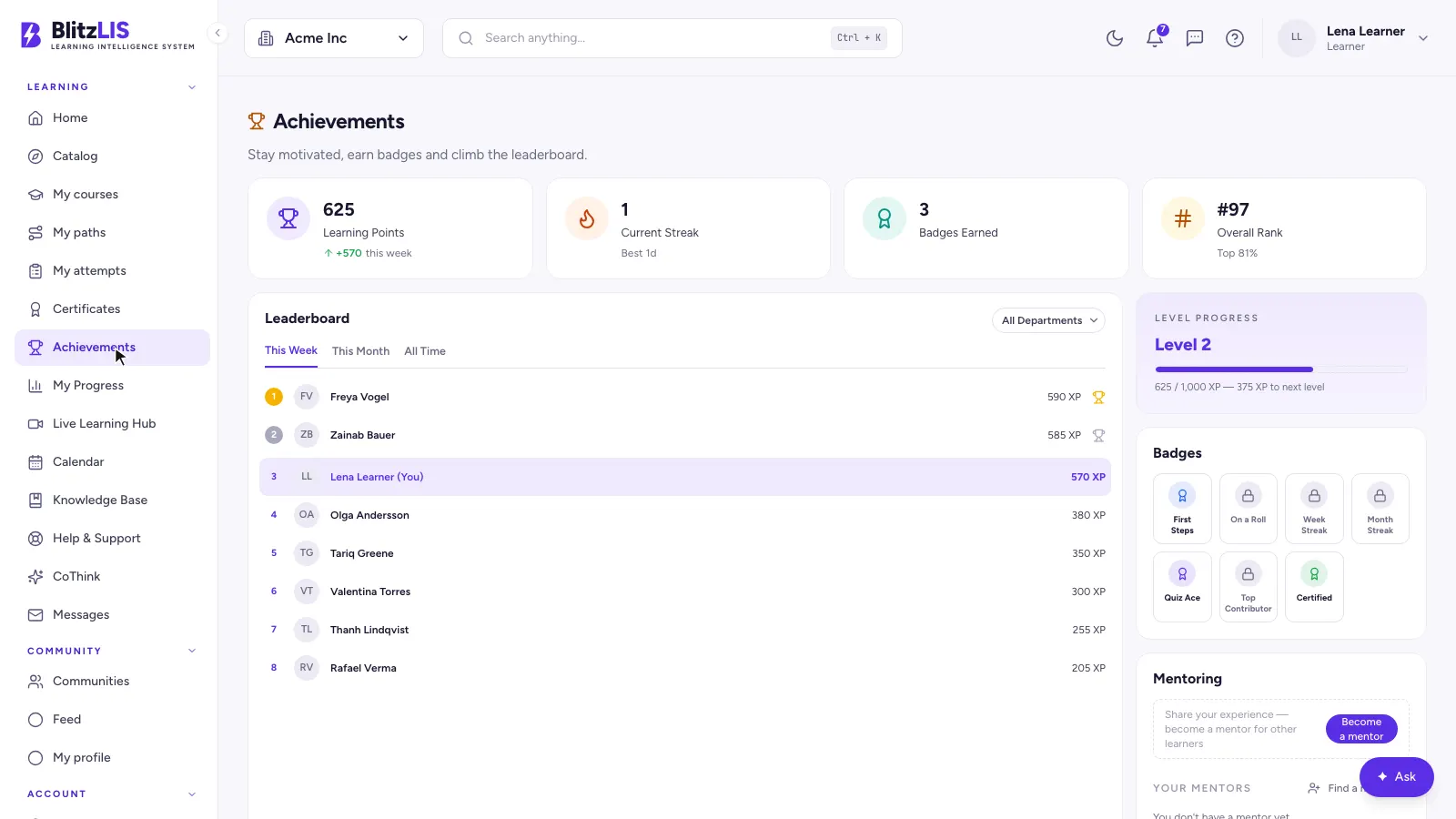
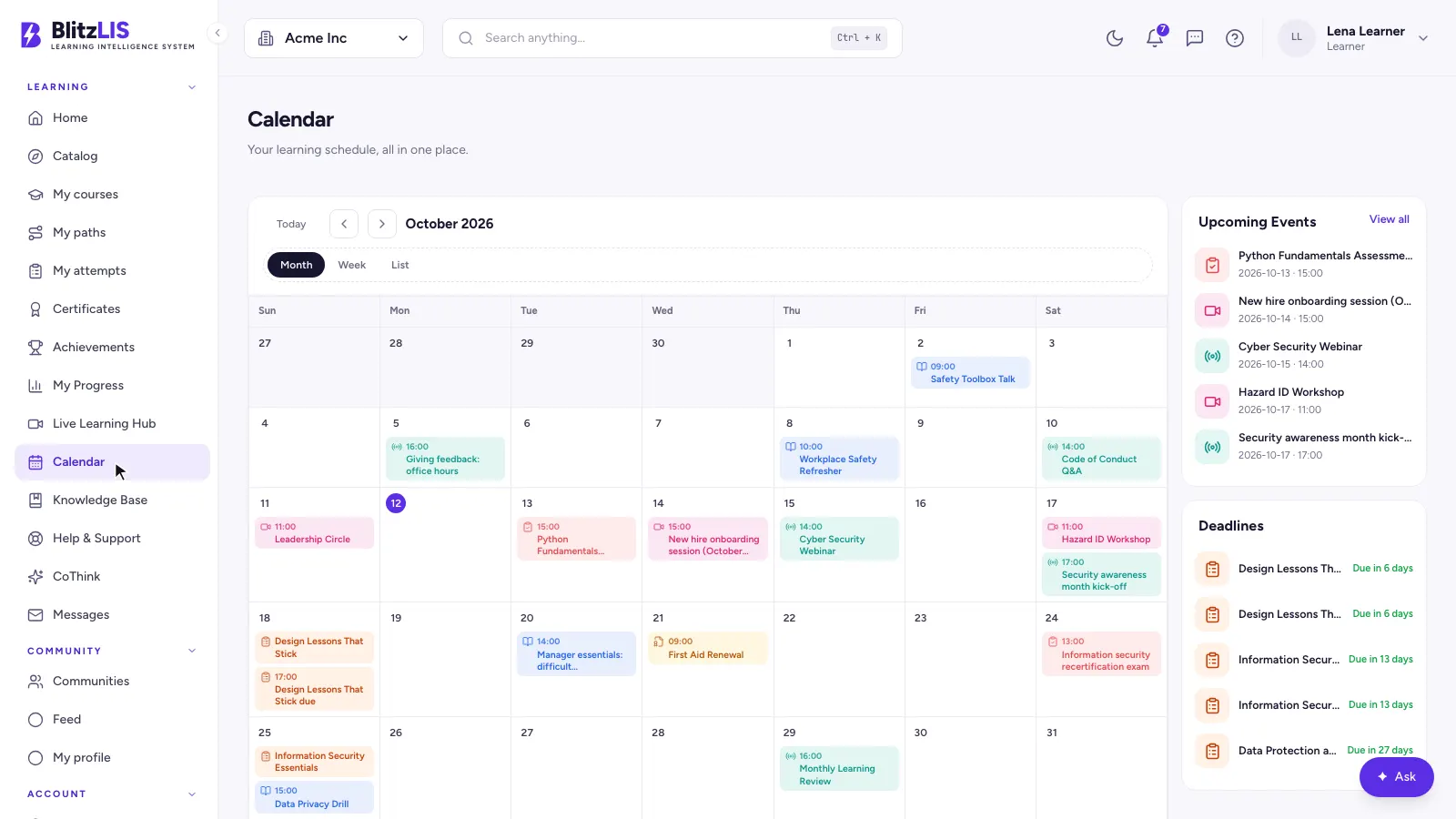
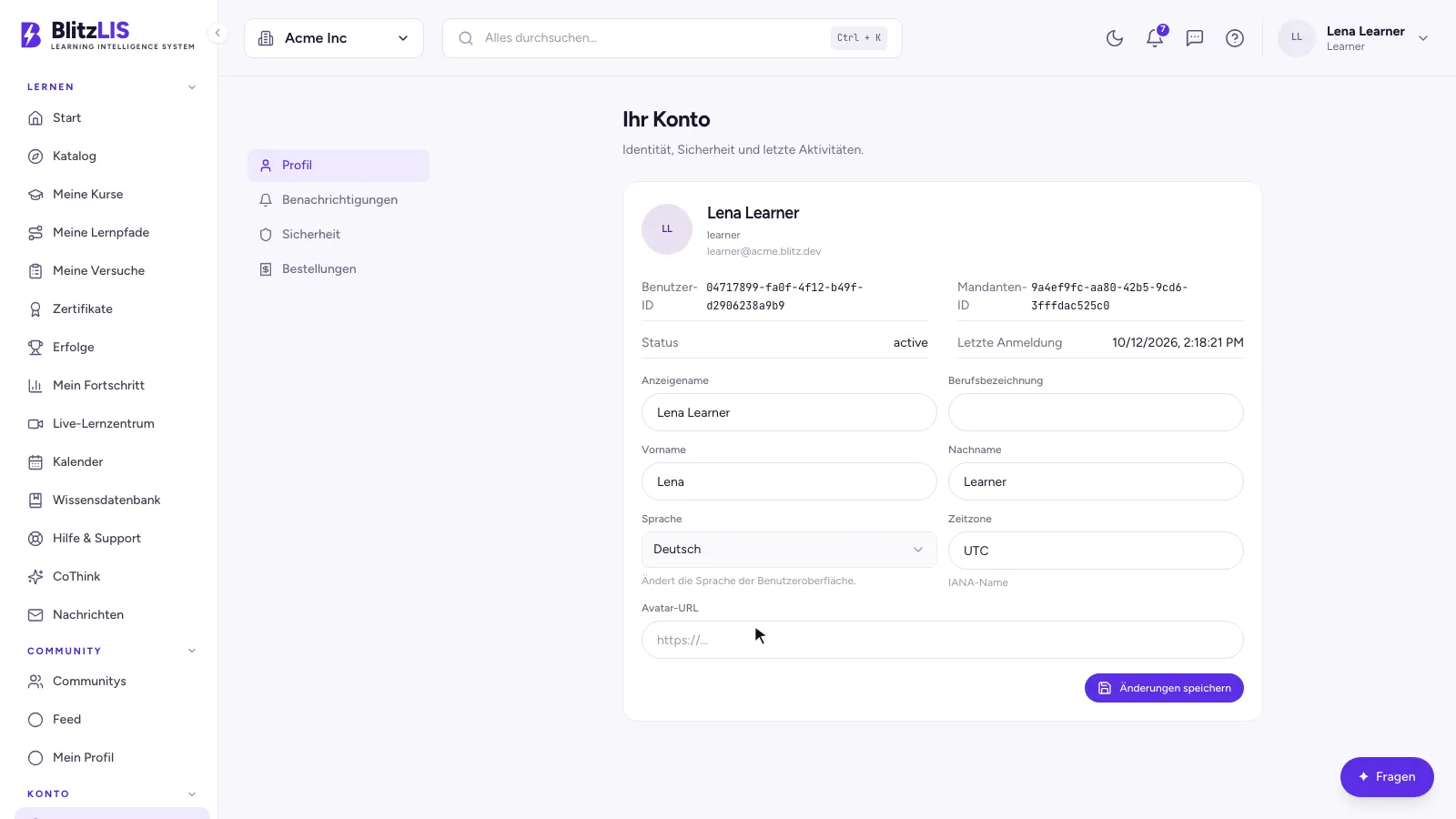
Where people learn: a home that knows what is next, a library to browse, a lesson player built for reading, and proof at the end.
Author and reviewer
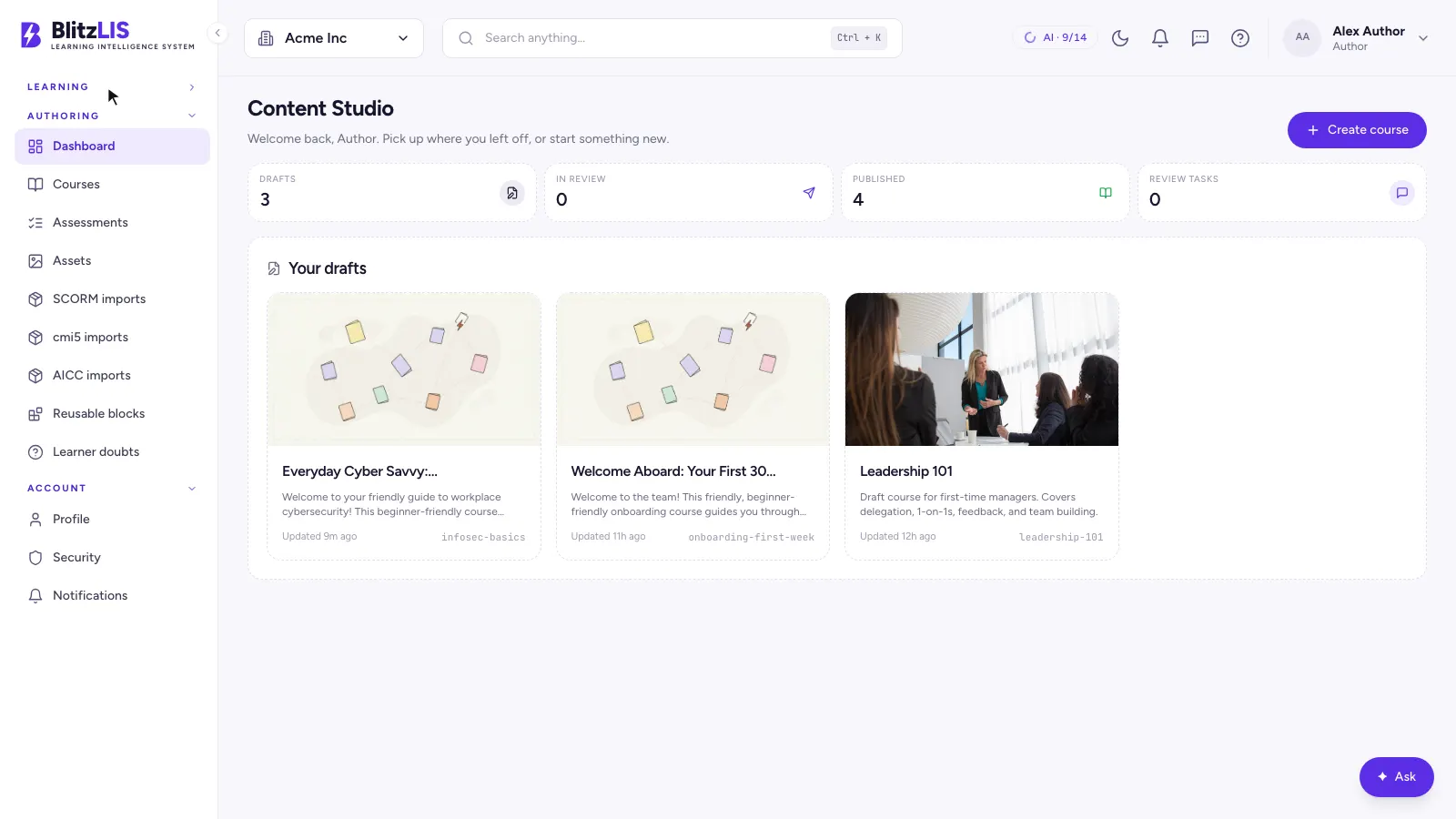
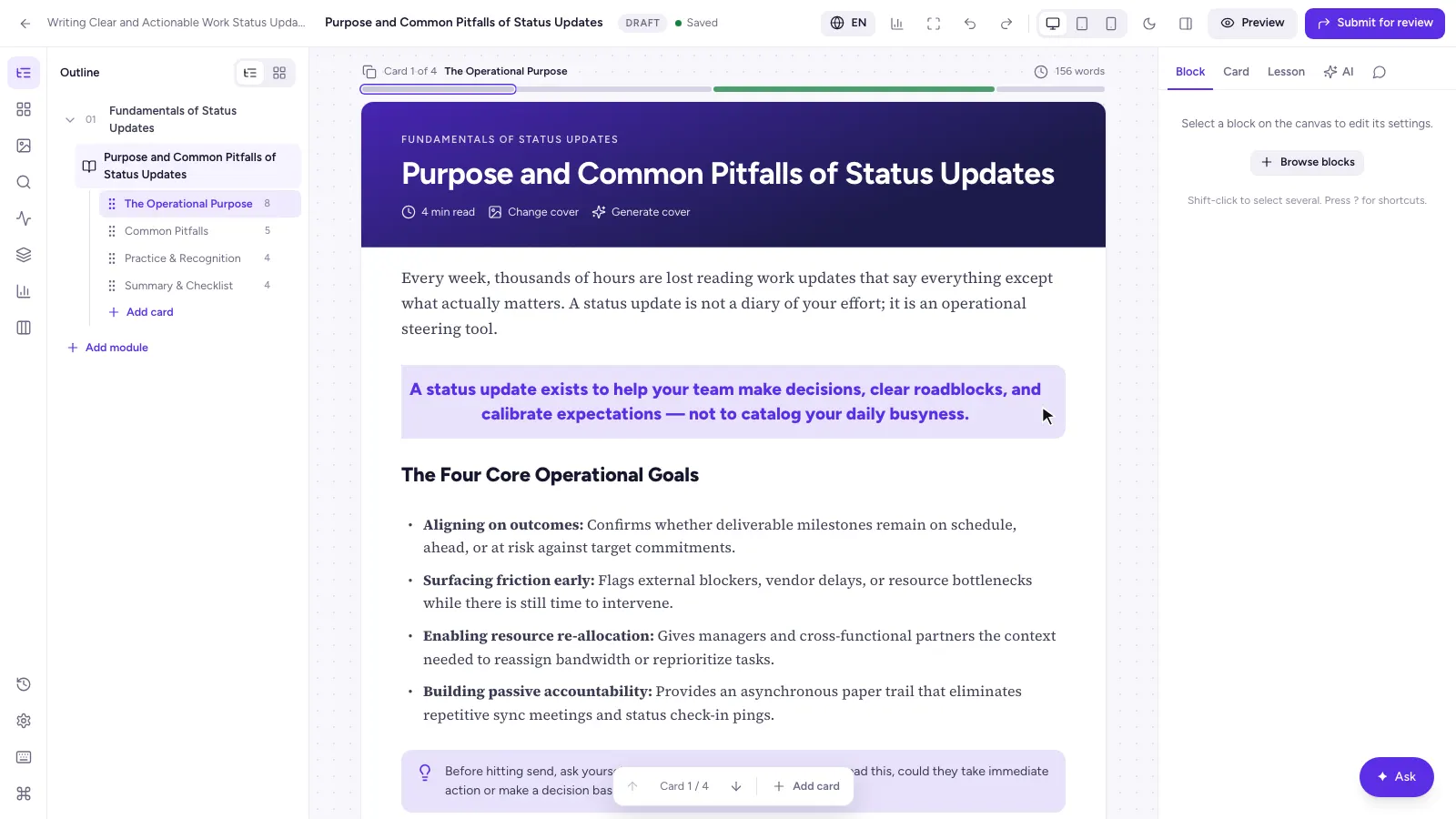
Where courses are made: from a brief and a document to an outline, to lessons in the block editor, to review and publish.
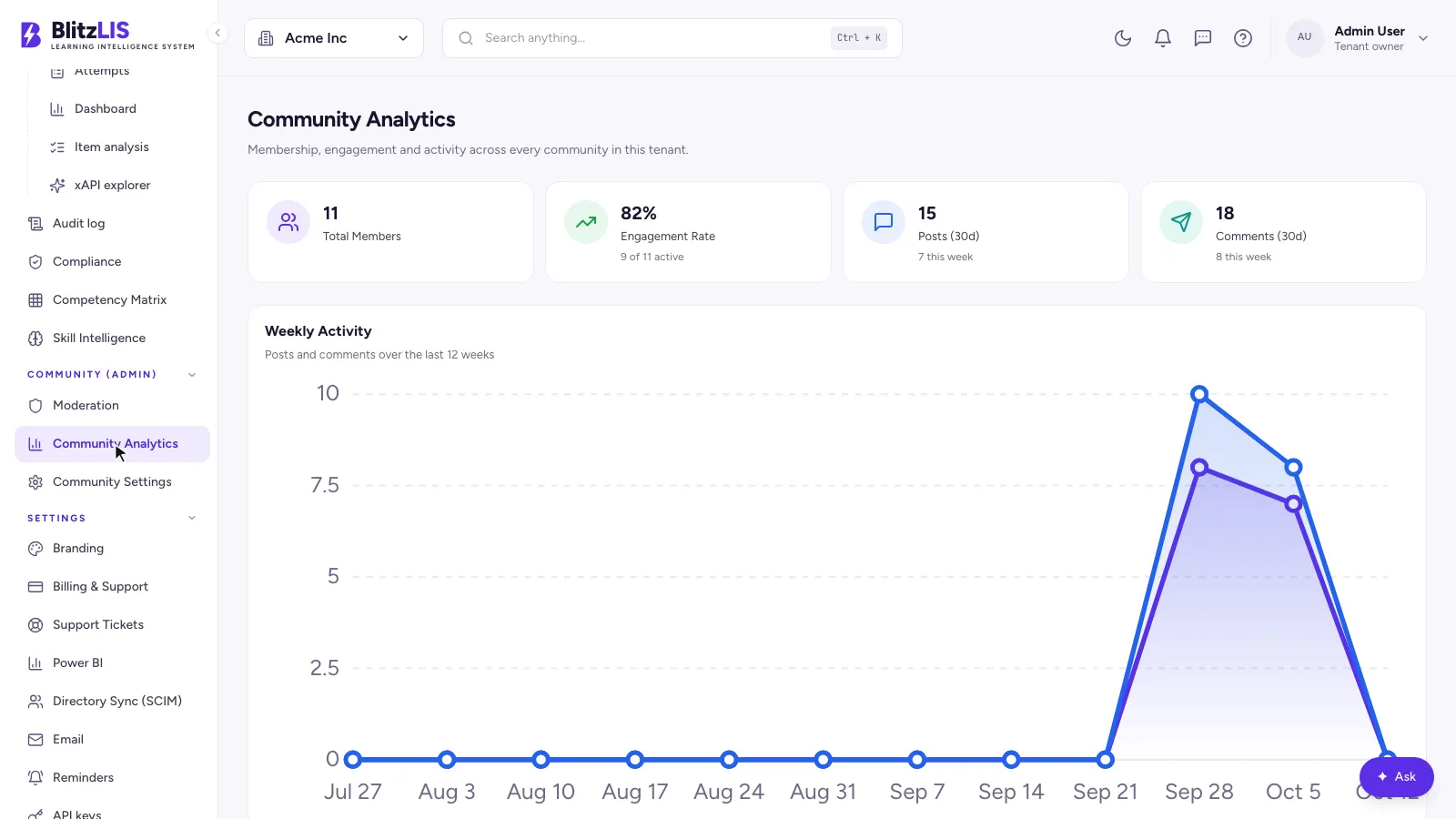
Community
Where learners talk: a feed, communities and circles, threads with polls and an AI that can summarise them.
Manager
Where teams are run: who is assigned what, who is behind, and reports that export or email themselves.
Tenant admin
Where a company runs its academy: people, compliance, risk, branding and a full audit trail.
Platform operator
Where Blitz runs every client company at once.
BlitzLIS, in questions
- What is BlitzLIS?
- BlitzLIS is a multi-tenant, AI-native learning management system built by Altacee for Blitz Learning Technologies. It runs employee training, compliance and customer education for many companies at once, each in its own branded and isolated workspace.
- Who built BlitzLIS?
- Altacee designed and built it end to end: the FastAPI backend, the PostgreSQL data model with row-level security, search, the AI authoring pipeline, the Next.js web app and the deployment.
- How does BlitzLIS keep tenants apart?
- In the database. Each request sets the tenant for its transaction, and PostgreSQL row-level security policies on every tenant table refuse rows from any other tenant, so a bug in the API still cannot leak another company's data.
- Can BlitzLIS create courses with AI?
- Yes. Authors write a brief, optionally upload their own documents, and the generator drafts an outline and lessons. Every AI change arrives as a draft and goes through human review before learners see it.
- Which e-learning standards does BlitzLIS support?
- SCORM 1.2 and SCORM 2004 import and export, plus cmi5 and AICC import.
- How do learners sign in?
- With a password hashed using Argon2id, or single sign-on through Google, Microsoft, Okta or SAML, with optional two-factor sign-in by TOTP app or WebAuthn key.
- What is BlitzLIS built with?
- FastAPI and asynchronous workers, PostgreSQL 16 with pgvector, Meilisearch, Redis, and a Next.js web app.
> HOW IT SHIPPED
What did Blitzlearning need?
An AI-native LMS had to be sold to institutions that share nothing — one tenant seeing another's cohort is the end of the contract — while still feeling instant across a course library nobody wants to browse page by page.
How did Altacee build Blitzlearning?
Isolation lives in the database, not in application code: Postgres 16 with row-level security per tenant, pgvector alongside it for meaning-based retrieval, Meilisearch for keyword speed, and arq workers ingesting material behind an async FastAPI surface.
What did Blitzlearning get?
Tenants share one database and cannot reach each other's rows even if the API is wrong. Course material becomes searchable both by phrase and by intent the moment it finishes uploading.
Want a system like this?
Tell us what you're building. We'll respond with a scoped plan, not a sales pitch.